June 10, 2026
I'm terrible at follow-up. So I automated it.
Honest admission: I’m horrible at follow-up.
If I don’t write something down, it’s gone. My desk is littered with post-it notes. Business cards from promising conference conversations will sit in a stack on my desk for weeks until I finally throw them out. A trial signup notification gets buried under forty other emails. Someone fills out a form and by the time I see it, the moment has passed.
Here’s the thing: I’m not alone. Most of us aren't good at follow-up, and the data shows it. And I’m not lazy - quite the opposite, I’m just getting pulled in 100 different directions throughout the day. This matters more than most people realize:
Companies that contact a lead within 5 minutes are 21X more likely to qualify that lead than companies waiting 30 minutes.
78% of customers buy from the first company that responds. Not the best one. Not the cheapest one. The first one.
The average response time across industries is roughly 42 hours 😅. Over 30% of inbound leads are never contacted at all.
I’d be in that 30% if I relied on my own memory. So I built a workflow where I don’t have to remember anything. Here’s how it runs.
Obvious disclosure before we start: I founded the company that makes the hub of this stack. The rest is what I wire into it.
The signals come from everywhere
My leads don’t arrive in one place. They show up as:
A conversation with the web agent on my site.
A new Stripe customer.
A meeting invite on my calendar.
A LinkedIn Chat.
An email referral from a friend.
A business card from someone I met an hour ago.
Each one is warm. Each one is perishable. And each one used to live in a different silo until I happened to notice it.
That’s the actual problem. Not lead volume. Timing. The gap between when a signal fires and when a human acts on it.
Zapier moves the signals
Zapier is the routing layer. But I keep it simple. I’m not building entire workflows in Zapier, Make, or n8n, I’m just routing inbound and outbound signals. Zapier watches the places leads show up and moves them to where they get worked.
The Zaps I run:
New Stripe customer → create lead and trigger research. Because a trial signup isn’t an accounting event. It’s someone raising their hand. That signal used to sit in Stripe until I remembered to look. Here’s the template.
New or updated Google Calendar event → create lead and trigger research. A meeting lands on my calendar, and by the time I join the call, there’s a research brief waiting. Who they are, what their company does, what context I already have. I stopped opening calls with “so, tell me about yourself.” Here’s the template.
I published the templates I actually use here: youex.ai/features/zapier. Clone one and you’re live in minutes.
YouEx.ai Engage works the leads
This is the hub, and yes, it’s my product. It’s also genuinely how I handle initial follow-up.
Every signal Zapier routes in, lands here and gets the same treatment: research, scoring, routing, follow-up.
The web agent handles inbound conversations on my site, captures contact info, qualifies interest, and kicks off the workflow.

The data on this surprised me when I first dug in:
chatbot-led funnels convert at roughly 2.4X the rate of static forms,
and conversational capture pulls in about 55% more high-quality leads than “fill this out and we’ll get back to you.”
Makes sense when you consider 82% of buyers now expect an immediate answer to a sales question.
The follow-up is fast enough that I added an artificial delay so it doesn’t feel like a robot answered.
Business cards get scanned straight in. The stack that used to sit on my desk for weeks now gets photographed at the conference, and each card becomes a lead with research already running before my flight home.
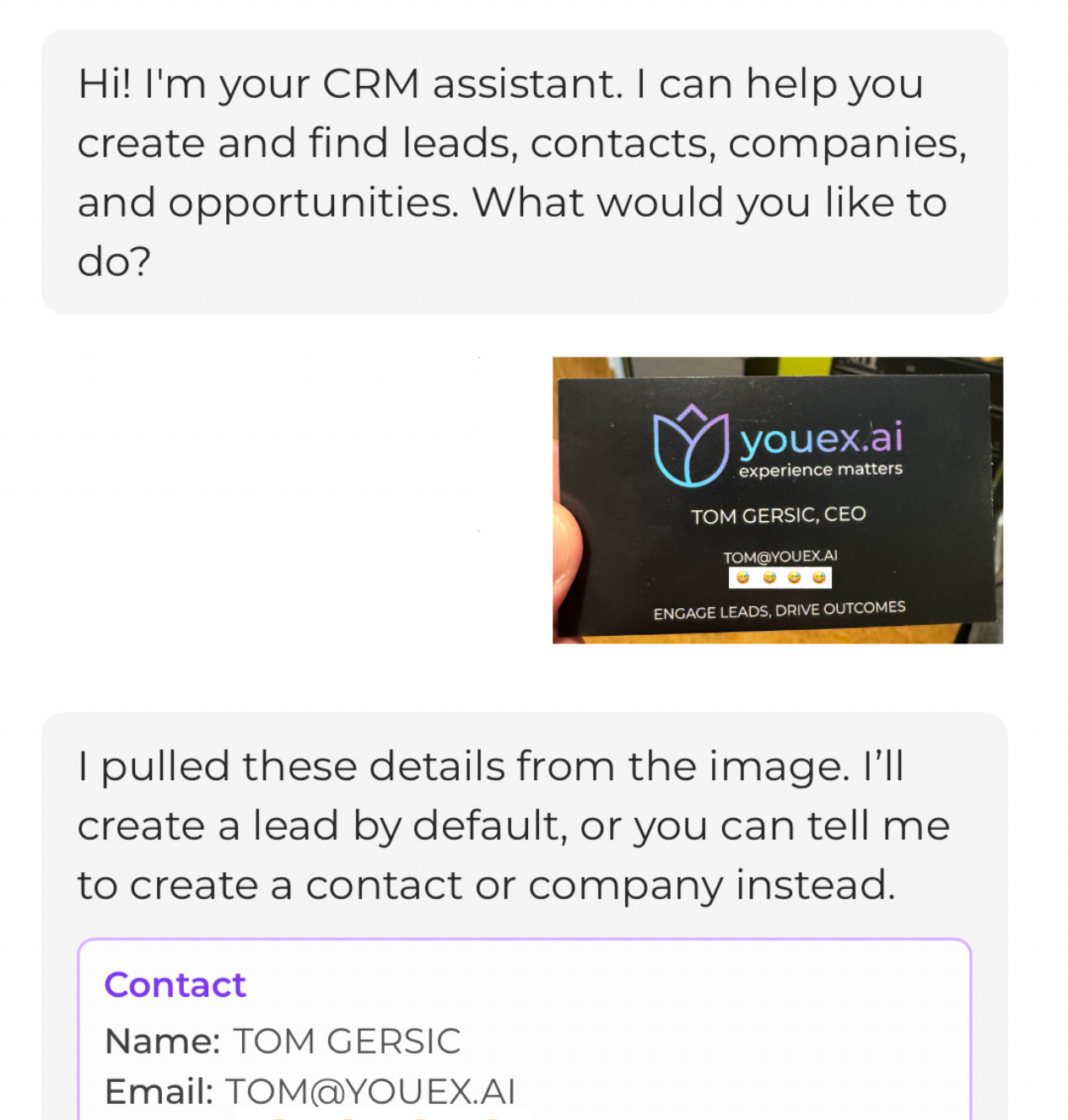
The point isn’t storage. It’s that every lead, from every source, runs through the same workflow. Nothing depends on me noticing.
ActiveCampaign runs the marketing motion
Working a lead toward a sales conversation and marketing to an audience are different jobs. Engage is built for sellers. Research, qualification, outreach, pipeline. It is not a marketing automation tool, and I don’t try to make it one.
ActiveCampaign is where my marketing motion lives. The newsletter. Campaign sends. List building. The new user adoption journey that kicks in after someone signs up. Drip sequences that educate over weeks, not days.
The handoff between the two is a Zap. Once a lead is captured or qualified in Engage, it can sync to ActiveCampaign and enter the marketing ecosystem. Sales engagement in one system, audience nurture in the other, each tool doing the job it was actually designed for. Here’s the template.
Sales teams already juggle an average of 10 productivity tools, and context-switching between platforms cuts productivity by as much as 40%. The answer isn’t one tool that does everything badly. It’s fewer, better-connected tools with clean handoffs.
The pattern
The old way I did it: lead arrives somewhere, I notice eventually (or don’t), I copy data somewhere useful (or don’t), follow-up happens when I have time (it doesn’t).
The way it runs now: lead arrives anywhere, the record creates itself, research and follow-up start immediately.
Reps already spend less than 40% of their time actually selling. The rest goes to the noticing, the copying, the navigating between tools. That’s the part worth automating. Not the selling. The remembering.
I built this workflow because I can’t be trusted to remember. Turns out that’s a feature. A system that doesn’t depend on anyone’s memory beats a system that depends on mine.
Try it
Want to see the full workflow? Start a free trial at youex.ai
Want to wire up Zapier first? youex.ai/features/zapier
Got a workflow I haven’t covered? Reply and tell me. I’m building templates based on what teams actually use.
Tom Gersic is the Founder and CEO of YouEx.ai, the AI-native lead-to-revenue platform for B2B sales teams.