September 15, 2026
Your CRM, One Conversation Away
A lot of CRM work happens around the actual work of selling.
You come back from a conference with a pile of business cards. You’re about to join a call and need a quick refresher on the person you’re meeting. You finish a conversation and need to update an opportunity. You know a deal needs a follow-up, but the email still hasn’t been written.
Each task is small. Together, they take a lot of time and attention.
I recorded a quick walkthrough of how I use ChatGPT and Claude with YouEx.ai to handle these tasks through conversation. Once connected, either assistant can work with your CRM data: find records, create leads, update opportunities, and take actions like scheduling an email.
Here’s how to set it up, and a few examples of what you can do with it.
Connecting ChatGPT and Claude to YouEx.ai
In ChatGPT, you can find YouEx.ai in the plugin directory and install it from there. Once it’s connected, you can start asking ChatGPT to work with your CRM.
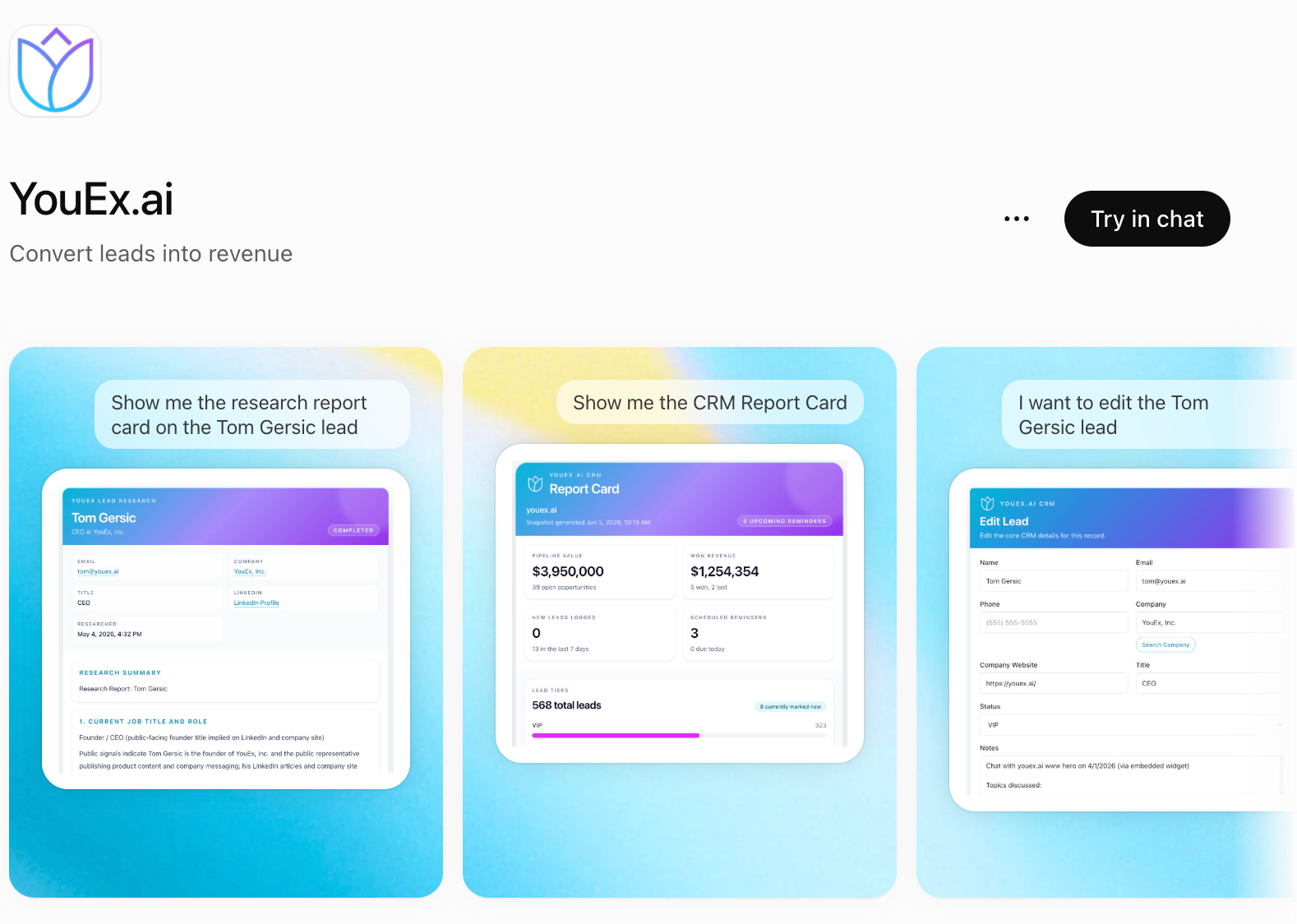
In Claude, the setup uses a custom connector. Open the connectors settings, add a connector, and enter the YouEx.ai MCP server URL:
You can find the connection details on the YouEx.ai MCP feature page.
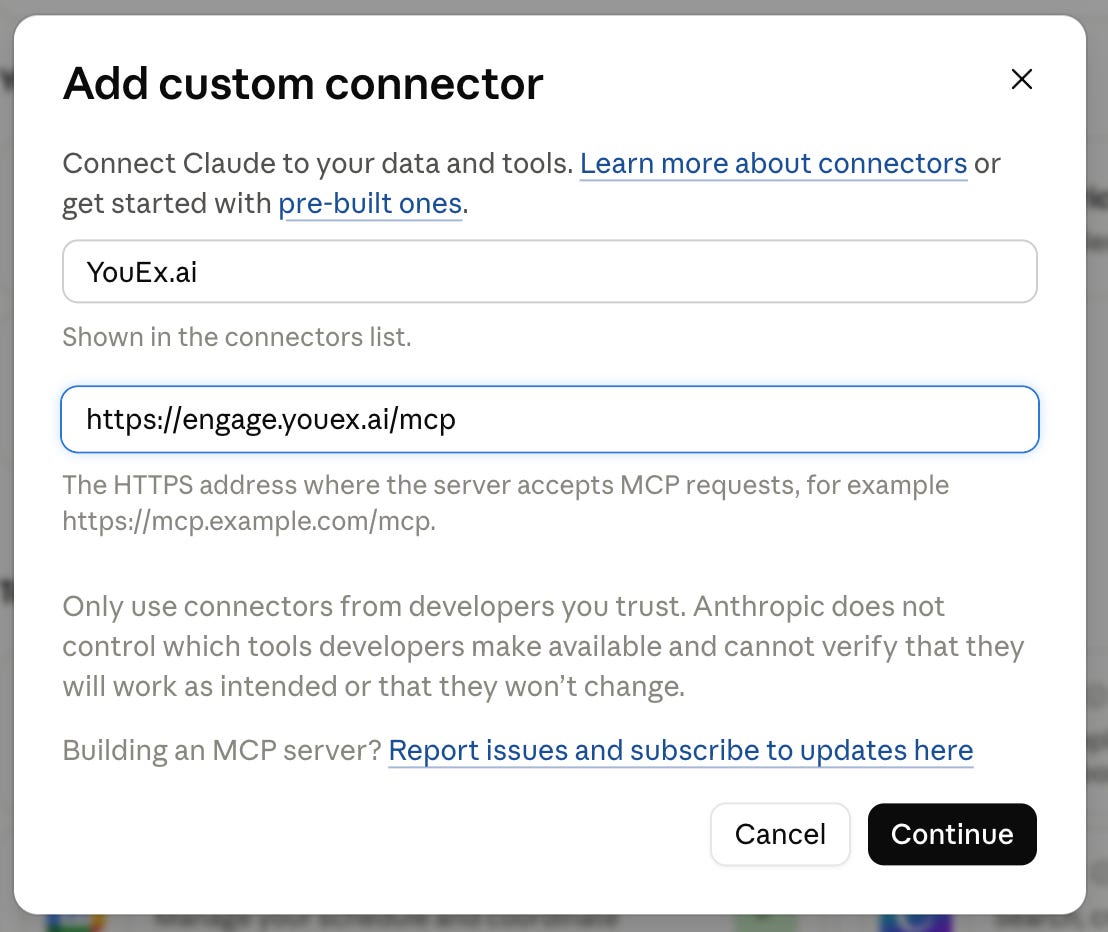
MCP is the connection that gives the assistant access to tools in YouEx.ai. For the examples below, the useful thing to know is that the assistant can do more than offer advice: it can read and update the CRM on your behalf.
Once you’re connected, start with a task you already do regularly.
Turn a pile of business cards into leads
One of my favorite examples is the stack of business cards you bring home from a conference.
Those cards represent conversations you want to follow up on. But first, someone has to get the information into the CRM.
In the video, I uploaded a photo of a group of business cards and asked:
“YouEx.ai, create leads for each of these business cards.”
ChatGPT read the cards, extracted the contact information, and created nine leads in YouEx.ai. It even recognized that some of the cards in the photo were my own.
That’s a useful starting point for the day after an event. Take a photo, ask the assistant to create the leads, and review the results while the conversations are still fresh.
You can then spend your attention on the part that needs your judgment: remembering what you discussed and deciding how to follow up.
Get ready for a call with a lead research report
Once a lead is in YouEx.ai, you can ask the assistant to bring up the research report before a meeting.
In the demo, I used my own record as an example. The assistant retrieved the completed report, including the executive summary and the information already researched within YouEx.ai.
A simple request gets you started:
“Show me the research report for this lead before my call.”
When I’m preparing for a conversation, I want the relevant context close at hand. Who is this person? What do I know about their business? What information might help me ask a better question?
Being able to pull that report into the conversation makes it easier to get oriented before joining a call.
Review your pipeline, and make the update while you’re there
Pipeline reviews often lead directly to more CRM work.
You look at the numbers, spot something that needs to change, and then navigate to the opportunity to update it. With YouEx.ai connected, you can handle both steps in the same conversation.
In the video, I asked for a pipeline overview, including won revenue and lead activity. Then I asked which opportunity had been updated most recently.
The assistant identified the Blue Crest liquidity platform opportunity. I asked it to change the value to $1,000 and mark it closed won.
That example shows two useful capabilities working together:
Read the current state: What’s in my pipeline? What changed recently?
Act on that information: Update the value. Change the stage. Record the outcome.
You can start with a broad question and narrow down to a specific record without leaving the conversation.
Find the deals that need attention
Claude has access to the same YouEx.ai tools, so I also used it to review opportunities and suggest the highest-priority actions.
In the walkthrough, it noticed that the Dynamo Devices opportunity had a close date in the past and flagged it for immediate follow-up.
That’s a practical way to approach a pipeline when you have several deals competing for your attention:
“Review my opportunities and suggest the highest-priority actions I should take.”
The assistant’s suggestions give you a place to start. You can look at the reasoning, decide whether it matches what you know about the deal, and choose the next action.
In this case, I continued by asking Claude to draft a follow-up email to Dynamo Devices.
Go from a follow-up draft to a scheduled email
After Claude drafted the email, I reviewed it and asked it to schedule the message for the next day in YouEx.ai.
The sequence was straightforward:
Review the opportunities.
Identify a deal that needs attention.
Draft a follow-up.
Review the message.
Schedule it through YouEx.ai.
This is where the connection becomes especially useful. The conversation carries the task from the initial question through to the action.
You still decide whether the follow-up makes sense and whether the message says what you want it to say. Once you’re happy with it, you can ask the assistant to handle the scheduling.
Use your calendar to get ahead of lead entry
Another workflow I like is asking Claude or ChatGPT to review my calendar and create leads for the people I’m meeting that day.
The request is simple:
“Review my calendar for today and create leads in YouEx.ai for the people I’m meeting.”
It’s an easy task to fold into morning preparation. Your calendar already tells you who you’re about to talk to, and the assistant can help get those people into the CRM before the meetings begin.
Combined with research reports, this gives you a useful starting point for the day: the people you’re meeting are recorded, and you can ask for the context you need before each conversation.
Start with one recurring task
The examples in the video cover several parts of a sales workflow, but you don’t have to start with all of them.
Pick one task that comes up often:
Entering contacts after an event
Preparing for a customer call
Checking which opportunities need follow-up
Updating a deal after a meeting
Getting your CRM ready for the day’s calendar
Try asking ChatGPT or Claude to handle it through YouEx.ai. Review what it does, refine your request, and build from there.
YouEx.ai’s MCP connection supports creating, reading, updating, and deleting CRM records. That gives you room to work beyond the examples I showed and find the workflows that fit your day.
For me, the appeal is simple: when I’m thinking about a customer or a deal, I can ask for the information I need and take the next step while I’m still in that context.