Leads
Inbound and captured prospects land as leads with status, tier, pool, owner, chat summaries, research, enrichment, and next-best-action guidance, ready for follow-up.
YouEx.ai keeps leads, contacts, companies, and opportunities in one workspace with research, relationship maps, and pipeline views built in. Then the same CRM opens in ChatGPT, Claude, and Slack so your AI workflows have full access to your CRM data.
From capture to closed
Capture
Chat, email, cards, forms
Research
Briefs in the background
Convert
Leads → Opportunities Pipeline
Act
Email, route, close
Why it matters
Most CRMs are filing cabinets. Reps paste notes after the call, research lives in tabs, and pipeline boards drift from reality, while the AI tools they actually use can't touch the data.
YouEx.ai flips that: capture → research → convert → action, with the CRM reachable from the assistants and channels your team already lives in.
Core objects
Inbound and captured prospects land as leads with status, tier, pool, owner, chat summaries, research, enrichment, and next-best-action guidance, ready for follow-up.
People at companies with titles, LinkedIn, phone, and relationship context. Expand from a single thread into the full buying committee.
Account records that hold industry, website, type, and company research, so every deal has a shared picture of who you’re selling to.
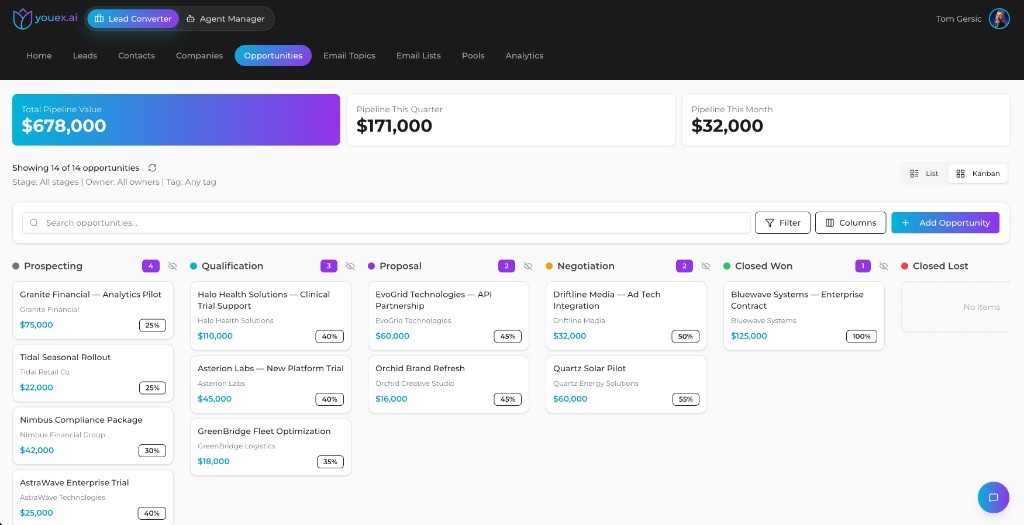
Deals with amount, stage, probability, close date, and linked company/contact. Track pipeline in list or kanban, then draft follow-up from the record.
Leads & contacts
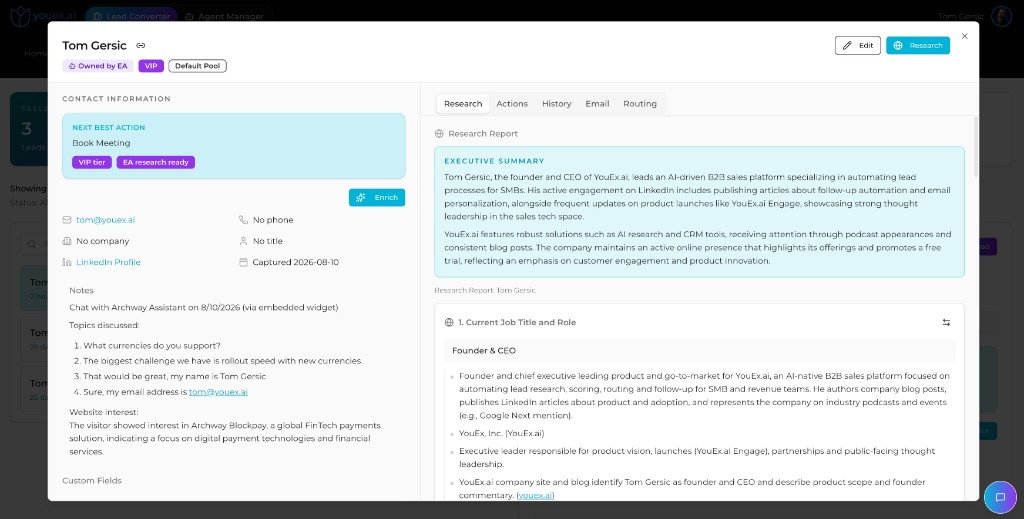
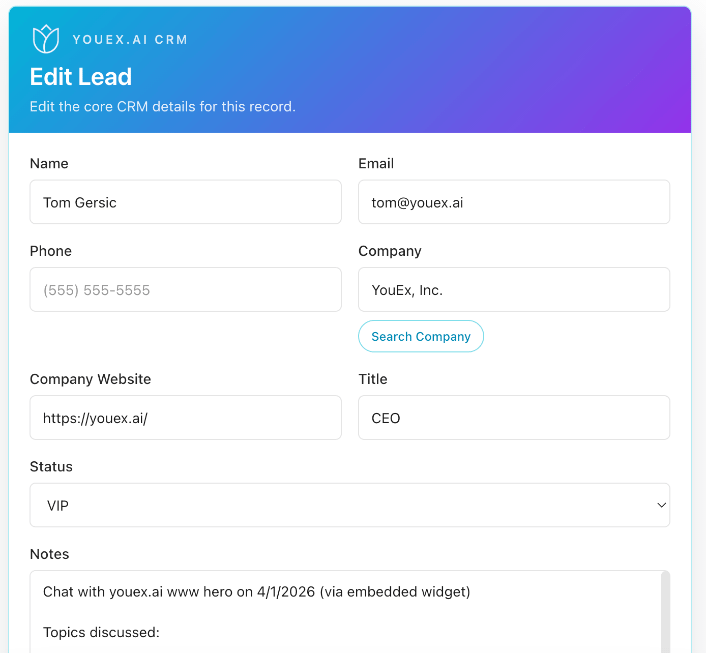
Open a lead and see next best action, research, chat summaries, enrichment, and routing in one place, so the first follow-up starts with context.
Opportunities
Track total pipeline and period rollups, then work deals in list or kanban with amount, probability, and stage on every card.
Email on the deal
Open an opportunity and work follow-up from the Email tab. AI drafts grounded in the deal, scheduled sends, and one-click regenerate when the message needs a rewrite.
See Automated Follow-up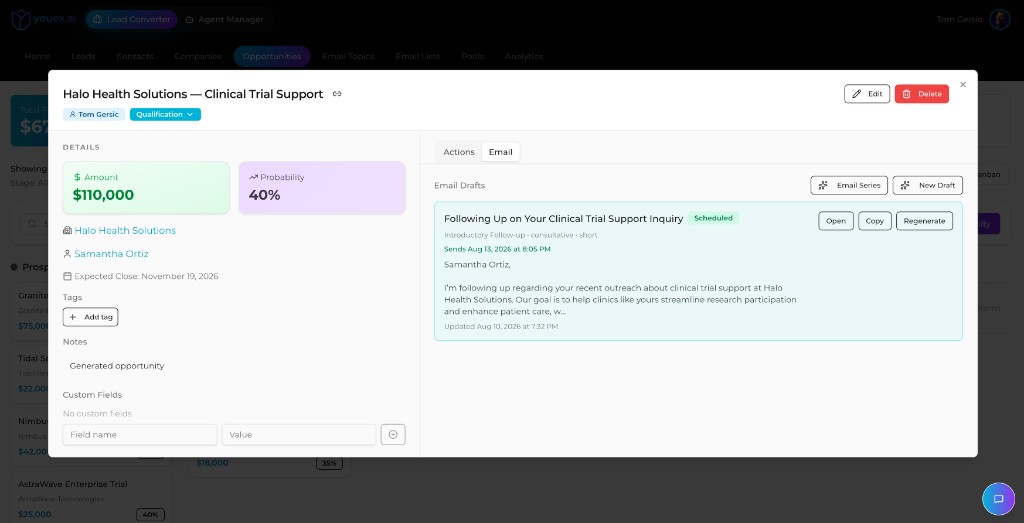
Relationship maps
Map relationships with role tags so coverage is obvious before the deal stalls on a single thread.
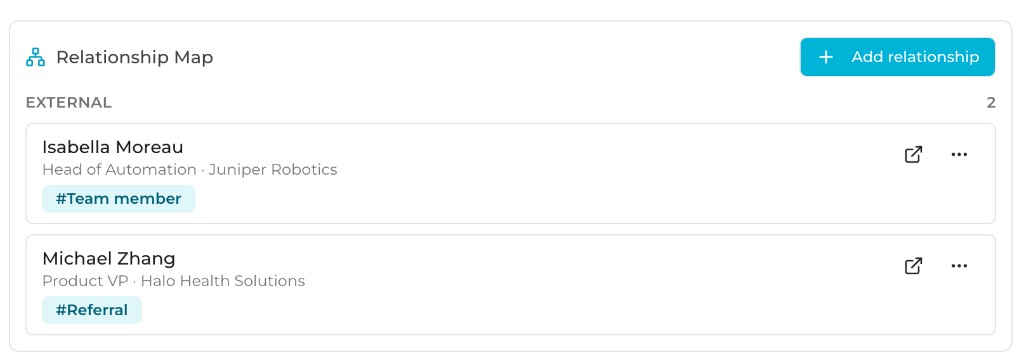
See who sits around the deal (team members, referrals, champions) with role labels that make coverage obvious.
Jump from the map into the contact or lead for research, email, and next actions.
Enterprise deals stall when you’re stuck on one contact. Relationship maps keep the buying committee visible.
How it works
Step 1
Website chat, scheduling, business cards, digital cards, email, and manual entry all create or update CRM records in the same workspace.
Step 2
Automated research and enrichment add briefs, sources, and missing contact details without clobbering data your team already trusts.
Step 3
Draft and schedule email, route leads, move opportunities, and work the same CRM from the web app, Slack, ChatGPT, or Claude.
CRM access
You don't have to live in the CRM UI to keep the pipeline accurate. Work records from the AI assistants and channels your team already uses, with the same workspace permissions as the web app.
Install YouEx.ai from ChatGPT’s Apps catalog. Search and update CRM records, open interactive editors and report cards, and run revenue workflows in plain language.
Learn moreConnect Claude (and other MCP clients) to your live workspace. Create leads, manage opportunities, pull research, and take action with typed tools, not copy-paste.
Learn moreSearch leads, contacts, companies, and opportunities with slash commands. Edit records in a private panel and get high-intent lead alerts in channel.
Learn more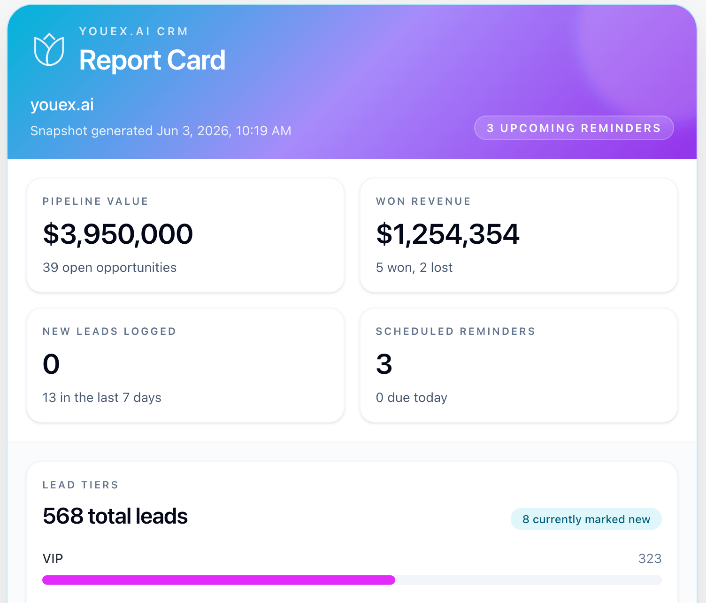
Scheduled agents
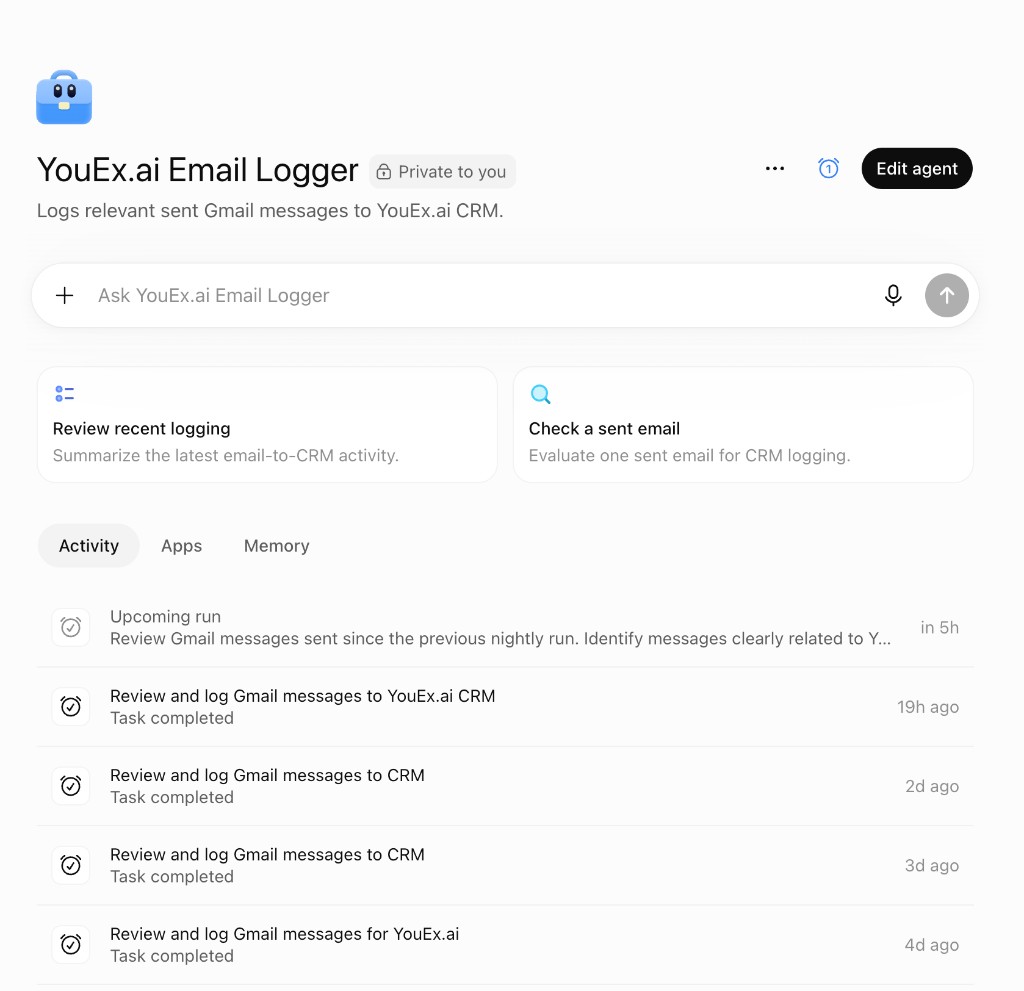
Pair YouEx.ai with scheduled ChatGPT Agents, for example an Email Logger that reviews Gmail each evening, identifies messages clearly related to sales, and logs them into the CRM so activity doesn't die in the sent folder.
Point a scheduled agent at your Gmail (or review sent mail on a cadence). Tell it to identify messages that belong in the CRM.
Each evening run reviews messages since the last pass, decides what’s clearly sales-related, and logs relevant activity into YouEx.ai.
Your pipeline stays current without nightly data entry, and you can still ask the agent to summarize what it logged or check a single email.
In practice
A website visitor chats, becomes a lead with a conversation summary, gets researched overnight, and lands with a next best action for the assigned owner.
Reps move deals across kanban stages, keep amount and probability current, and regenerate follow-up drafts from opportunity context.
Ask ChatGPT for today’s high-intent leads, update a stage in Claude, or search a company from Slack. Same workspace, same permissions.
At a glance
FAQ
It’s a full AI-native CRM: leads, contacts, companies, and opportunities, plus research, enrichment, routing, email drafts, and relationship maps. Built for revenue work, not spreadsheet storage.
Yes. The ChatGPT App and MCP server let you search, create, and update CRM records from natural language. Claude and other MCP clients connect to the same live workspace.
No. It complements it. Search, view, and edit from Slack when you’re already there; use the full app for pipeline boards, deep research, and deal detail.
You can schedule an agent (for example a nightly Email Logger) to review sent Gmail messages, identify what’s clearly related to sales, and log relevant activity into YouEx.ai so the CRM stays current without manual entry.
Start with AI-native records and pipeline, then open the same workspace from ChatGPT, Claude, Slack, or a nightly agent that logs the emails you already send.