← Back to home
FeatureDigital Business Card

Your business card, upgraded

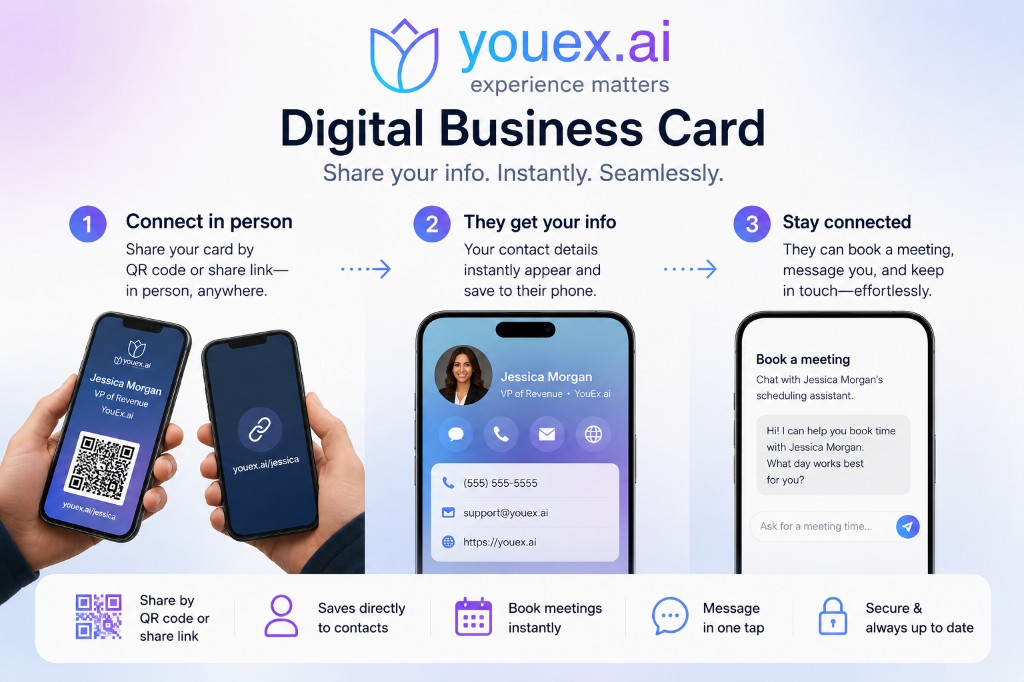
Share one link — or add it to Apple Wallet or Google Wallet — and let people save your contact, exchange info, and book time with your AI scheduling assistant. Every interaction lands in your CRM.

Digital business card overview showing share, save contact, and book meeting steps

Why it matters

Paper cards get lost and tossed. Static contact links don't capture who you met or why. YouEx.ai digital business cards give every team member a live, branded card page that works at conferences, on calls, and in follow-up — with contact exchange, vCard download, and meeting booking built in.

One card. Every channel.

Share your card anywhere

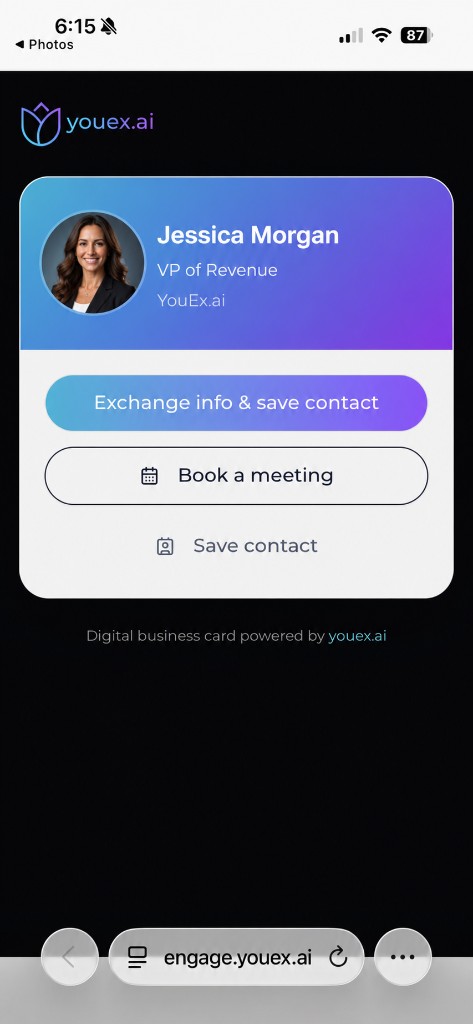
Each person gets a personal card URL they can text, email, drop in a signature, or print on a QR code. Scan the code at an event and visitors land on a mobile-friendly card page with your photo, title, company, and clear next steps.

  • Personal, shareable card link for every team member
  • Downloadable QR code for badges, slides, and booth materials
  • Works on any phone — no app required for visitors

Apple Wallet & Google Wallet

In your wallet, not their junk drawer

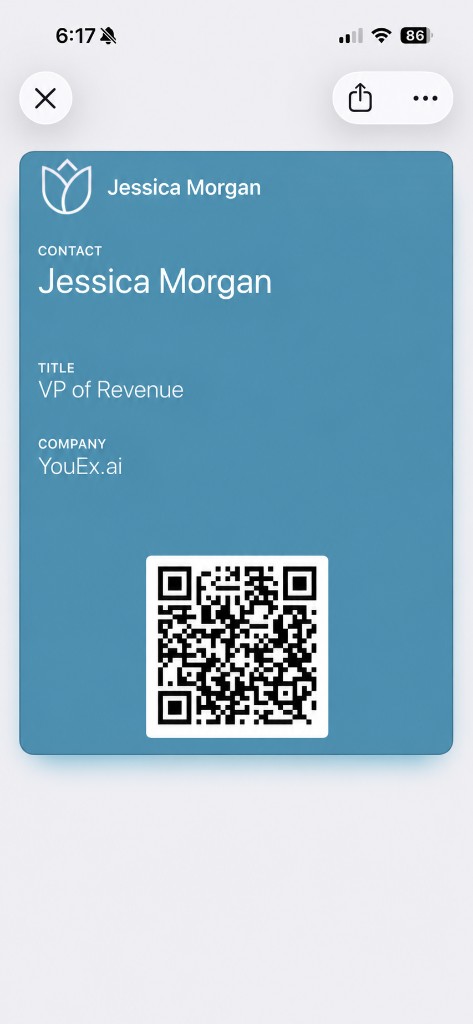
Add your card to Apple Wallet or Google Wallet in one tap from profile settings. The pass opens your live card page, so your contact details and scheduling stay current without reprinting or re-sharing.

  • Native Apple Wallet and Google Wallet business cards
  • Passes link to your live card — update once, share everywhere
  • vCards that respect your privacy
Apple Wallet business card pass with QR code for Jessica Morgan at YouEx.ai

vCards

Save to contacts in one tap

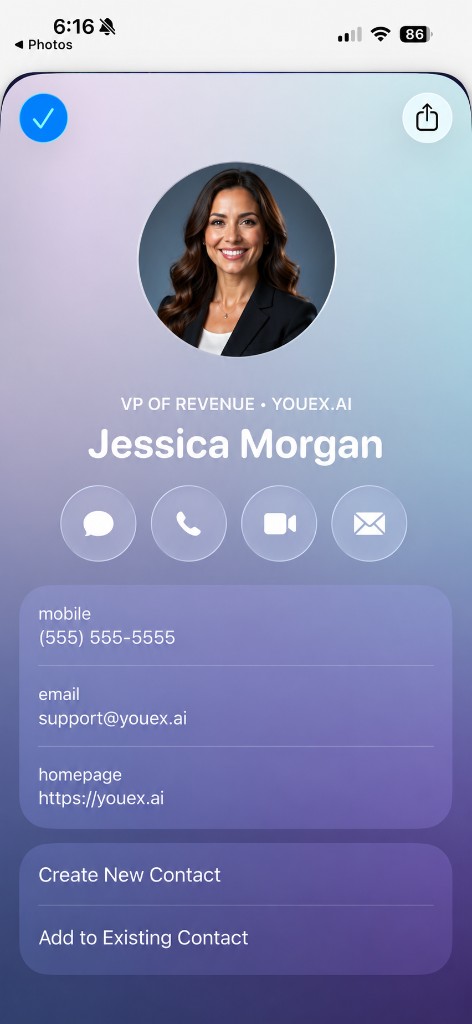
Visitors can download a standard vCard and add you to their phone instantly. You choose which fields appear — name, email, phone, title, company, website — so you share what matters and keep the rest private.

  • Standard vCard download from the card page
  • Choose visible fields per person
  • Customize card contact details or fall back to profile defaults
iPhone contact screen after saving a digital business card with phone, email, and website

Exchange info, not just hand it out

Two-way contact exchange

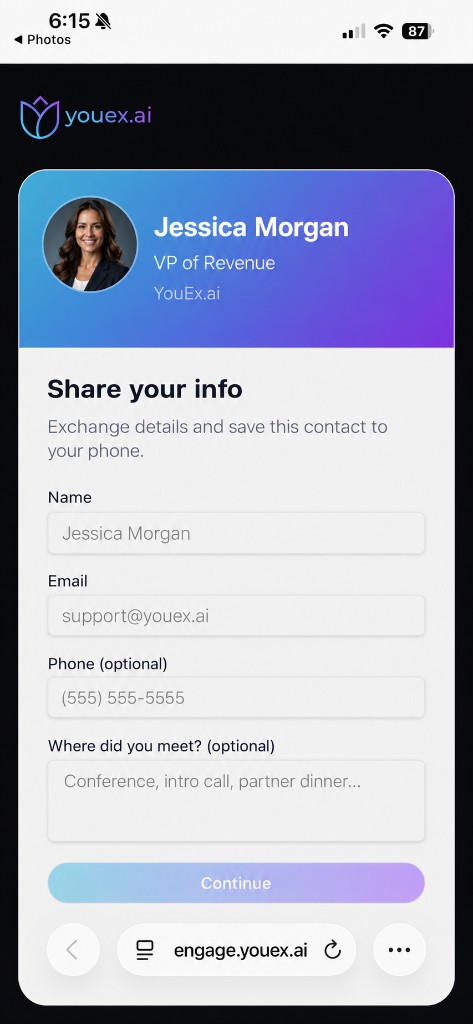
"Exchange info & save contact" captures the visitor's name, email, and optional phone before they download your vCard. You get a new lead in YouEx.ai; they leave with your contact saved. Optional context — "Where did you meet?" — helps you follow up with the right message.

  • Visitor info captured with consent timestamp
  • Leads created automatically with source "Digital Business Card"
  • Meeting context stored on the lead for smarter follow-up
Digital business card contact exchange form capturing visitor name, email, and meeting context

Book meetings from the card

From handshake to calendar

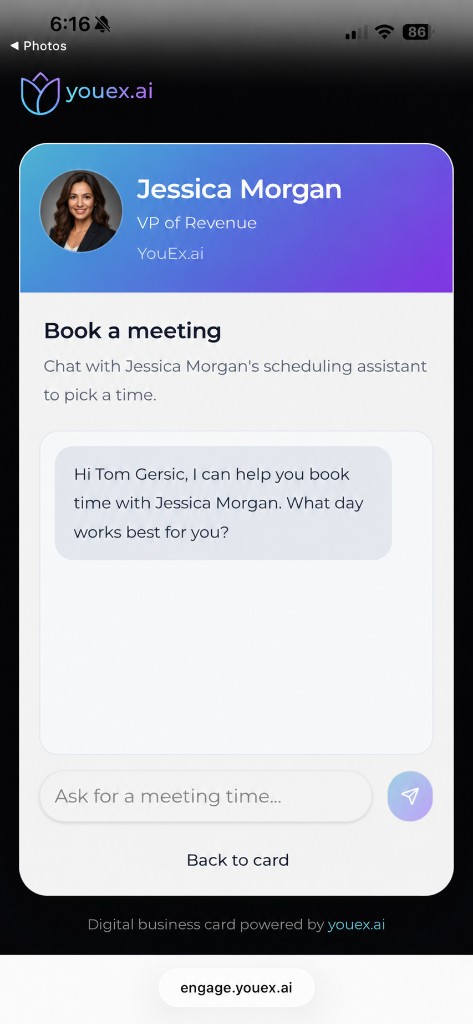
Connect your personal scheduler agent and enable live scheduling on your card. Visitors tap "Book a meeting" and chat with your AI assistant to find a time that works — using your real calendar availability and timezone rules.

  • Built-in scheduling powered by your personal calendar agent
  • Conversational booking — no back-and-forth email chains
  • Visitor details already on file when scheduling starts
AI scheduling assistant on a digital business card helping book a meeting with Jessica Morgan

Your brand, not ours

Branded for your company

Your card page uses your public calendar branding — custom logo, background color, and chat colors — so every touchpoint feels like you, not a generic link-in-bio tool.

  • Custom logo on the card page
  • Brand colors for background and chat UI
  • Profile photo and customizable display name, title, and company
Branded digital business card page with gradient header, profile photo, and action buttons

Built into your CRM

Every card scan is a lead

Digital business cards aren't a side tool — they're part of YouEx.ai. Captured contacts become leads in your workspace with conversation history, custom fields, and routing ready for your team.

  • Automatic lead creation on contact exchange
  • Tagged with digital business card source and card URL
  • Tied to agent conversations for full context

How it works

From setup to structured leads

1

Step 1

Set up your scheduler

Connect your calendar and activate your personal scheduling agent.

2

Step 2

Turn on your digital card

Enable your card in profile settings, customize contact details and vCard fields, and apply your brand colors and logo.

3

Step 3

Share it

Copy your link, download your QR code, or add the pass to Apple Wallet or Google Wallet.

4

Step 4

Capture and convert

Visitors exchange info, save your contact, or book a meeting — and you get structured leads in your CRM.

Compare

More than a link. More than paper.

Paper cardsLinkedIn LinkYouEx.ai digital card
Always up to date
Lead capture
Two-way exchange + CRM lead
Apple & Google Wallet
Updates without reprinting
Configurable contact details
Live page + configurable vCard
AI meeting scheduling

FAQ

Common questions

Do visitors need a YouEx.ai account?

No. Your card page is public. Visitors share basic info, save your contact, or book a meeting without signing up.

What's required to enable a digital business card?

An active personal scheduler agent in your workspace. Scheduling on the card also requires a connected calendar.

Can I control what's on the vCard?

Yes. Toggle which fields — name, email, phone, title, company, website — are included in the downloaded contact file.

How is this different from my public calendar link?

Your digital business card is built for networking: contact exchange, vCard download, wallet passes, QR codes, and a card-first experience — with scheduling when you want it.

Does the wallet pass update automatically?

Wallet passes open your live card page, so scheduling and branding changes on the page stay current without issuing a new pass for every edit.
Stop handing out cards. Start capturing conversations.

Give every rep a digital business card with wallet support, vCards, branding, and AI scheduling — all connected to your CRM.