The YouEx Engage panel, on the record
A panel on Lead, Contact, Account, and Opportunity pages shows the intent score and tier, when the person or company last engaged, and a suggested next action.
YouEx.ai puts buyer intent from your website, conversations, and email onto Leads, Contacts, Accounts, and Opportunities. Reps see who is ready, what changed, and what to do next. Admins decide what syncs, in which direction, and how often.
Included on the Professional plan.
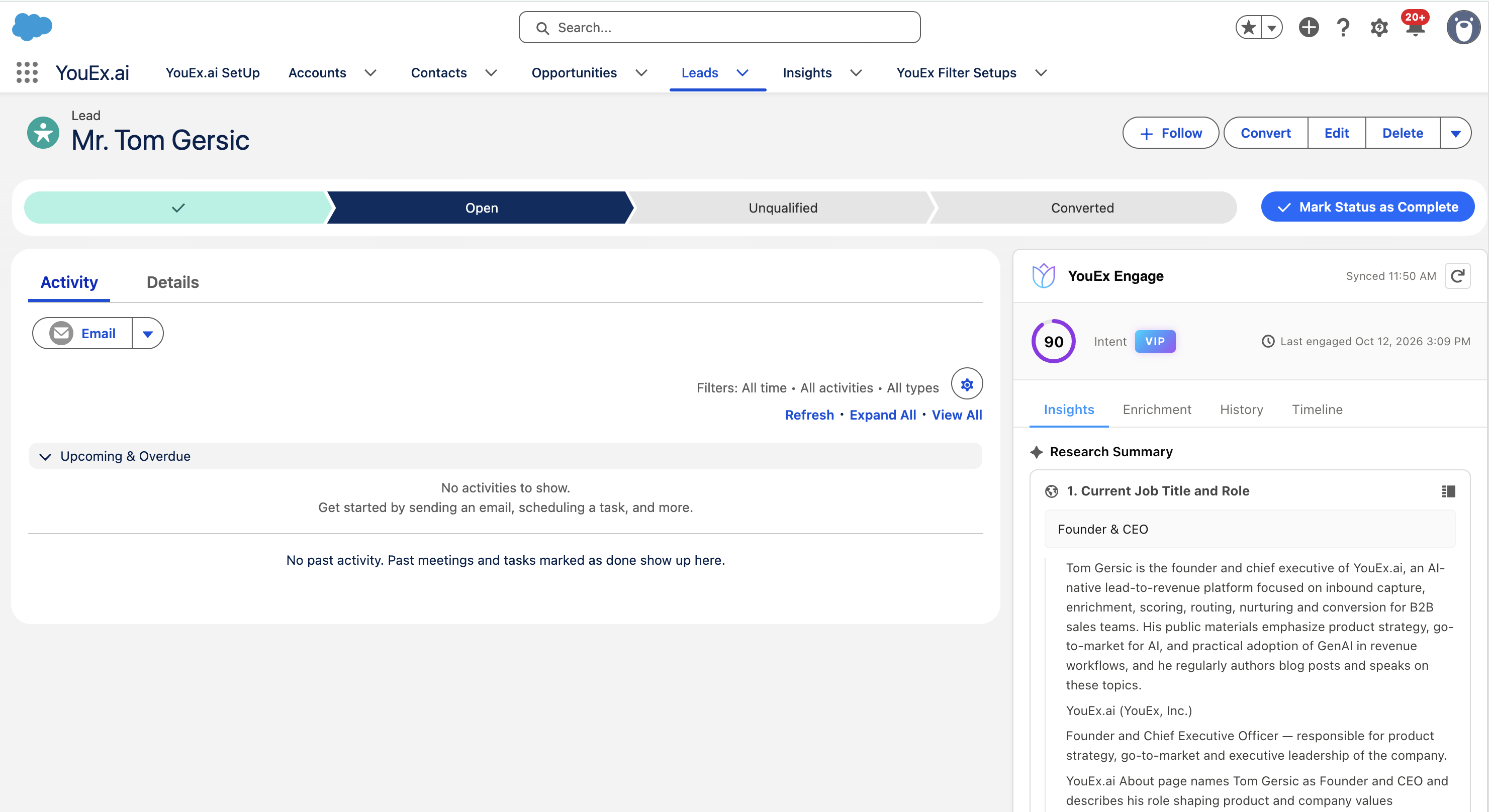
The YouEx Engage panel on a Lead. The same panel is on Contact, Account, and Opportunity.
A VP at an open account spent ten minutes with your web agent yesterday asking about implementation. Two people from a cold account read your case studies this week. None of that is on the record, so the rep calls the wrong person, or calls the right one a week late.
Where the signal comes from
YouEx.ai sees buyer activity that Salesforce doesn't: conversations with your YouEx web agent, page views from identified visitors, email engagement, and research on the company and the person. It turns that into an intent score and tier, plus a suggested next action.
What you get
A panel on Lead, Contact, Account, and Opportunity pages shows the intent score and tier, when the person or company last engaged, and a suggested next action.
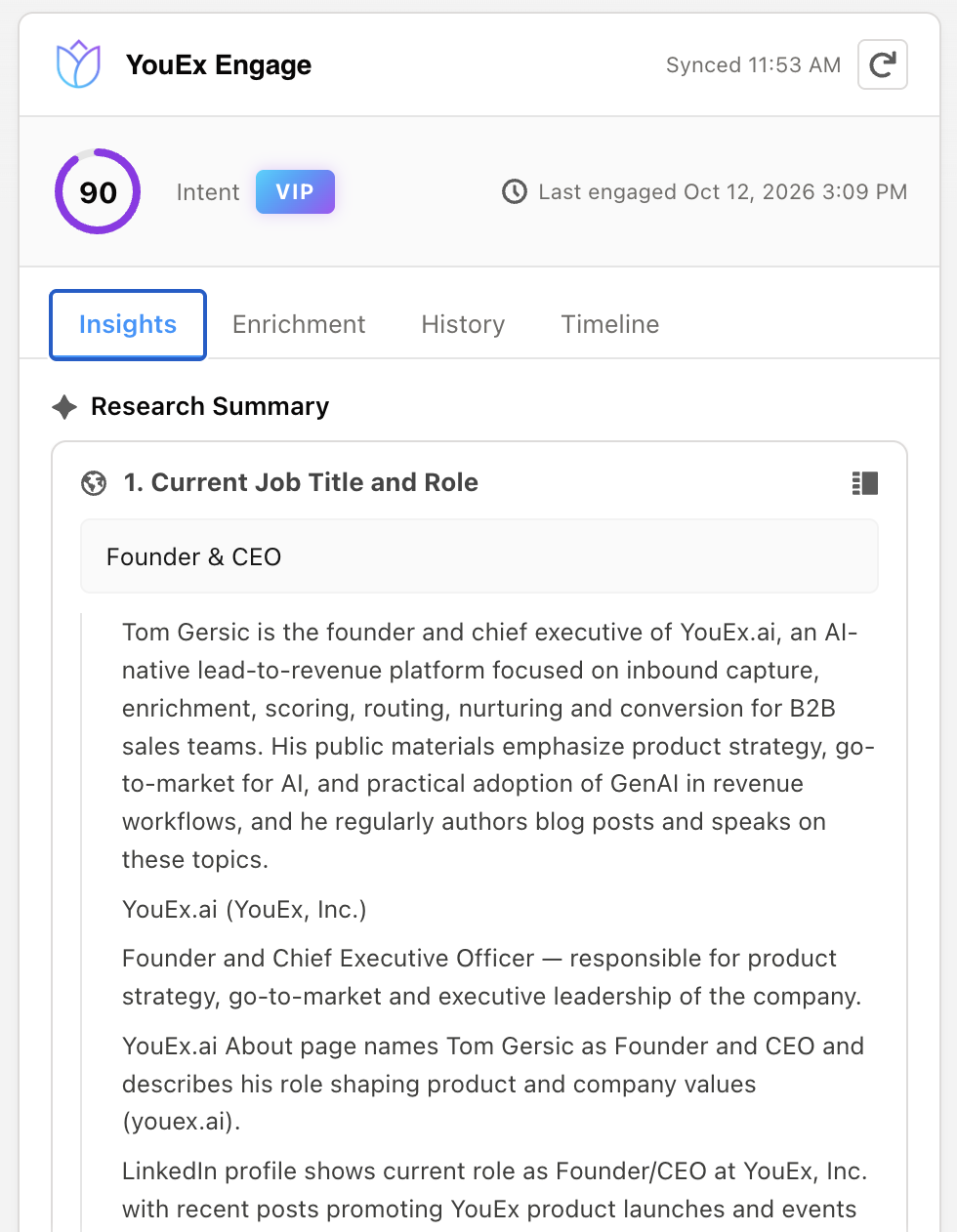
YouEx.ai researches your records automatically, so a sourced summary is waiting in the Insights tab when the rep opens the record. Rerun it from the record when something changes, or open the full view in YouEx.ai.
Fill in missing detail from the record, and review what came back in the Enrichment tab.
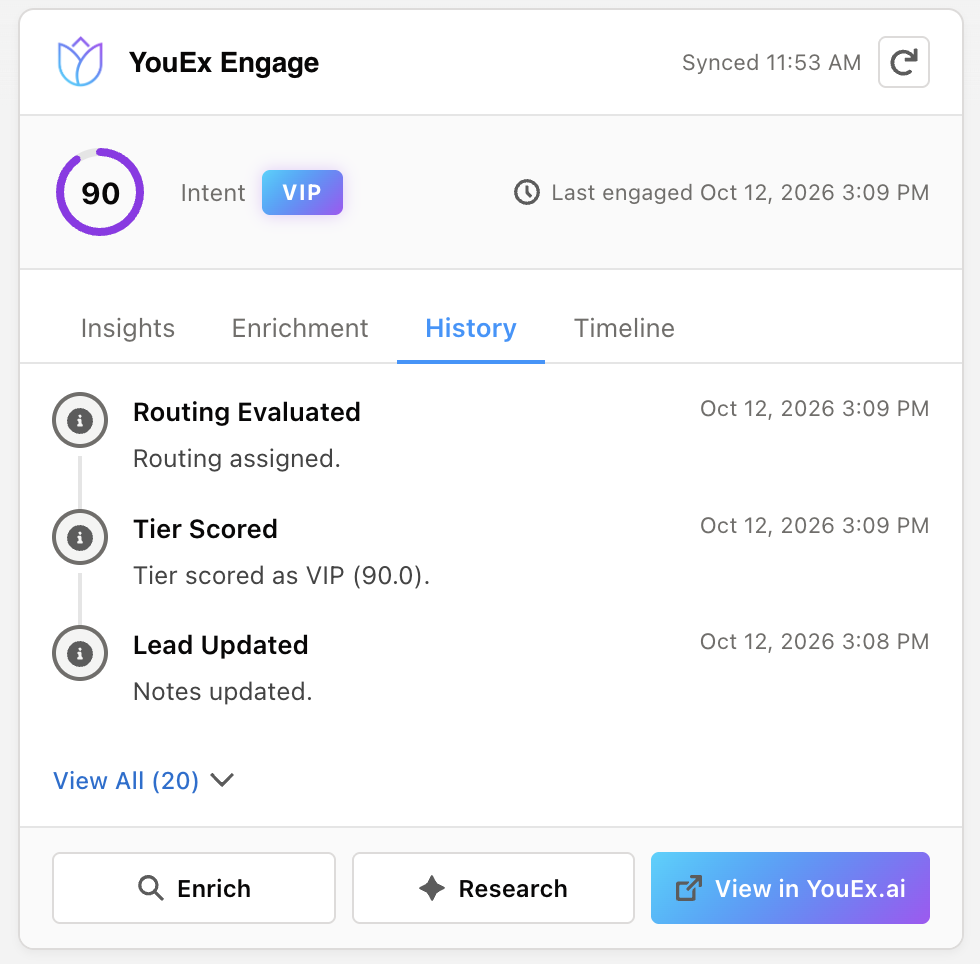
History and Timeline show what already happened: scoring, routing, notes, and logged meetings, with a link to the same record in YouEx.ai.
Enrich, research again, or open the record in YouEx.ai, without leaving the page.
Works alongside Salesforce AI
Agentforce and Salesforce in Claude reason over what is already in your org. YouEx.ai adds what isn't: what buyers did on your site and in their inbox, and what changed at their company. Use them together.
Reps can also work these records from ChatGPT and Claude, through YouEx.ai.
Sync
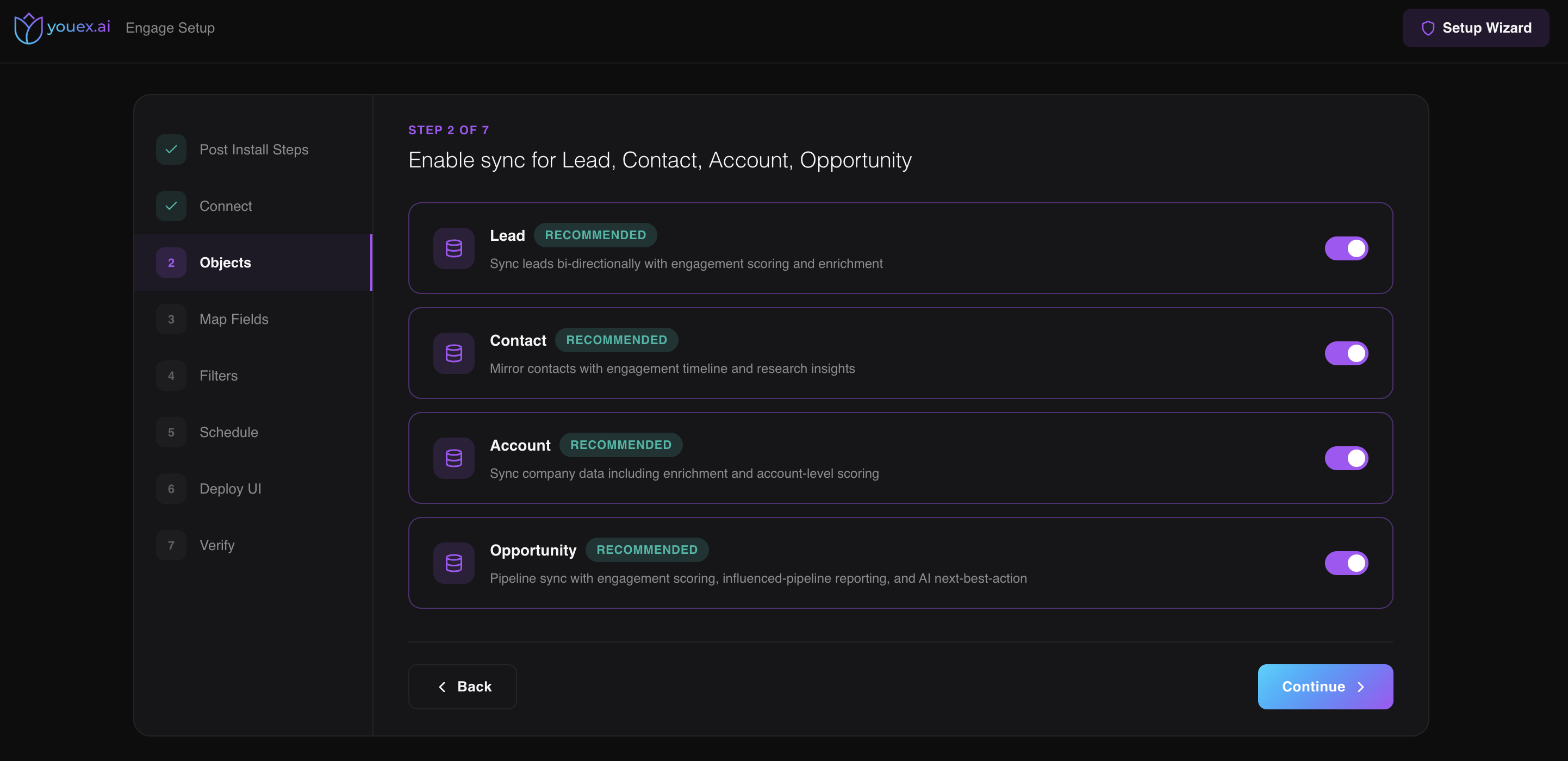
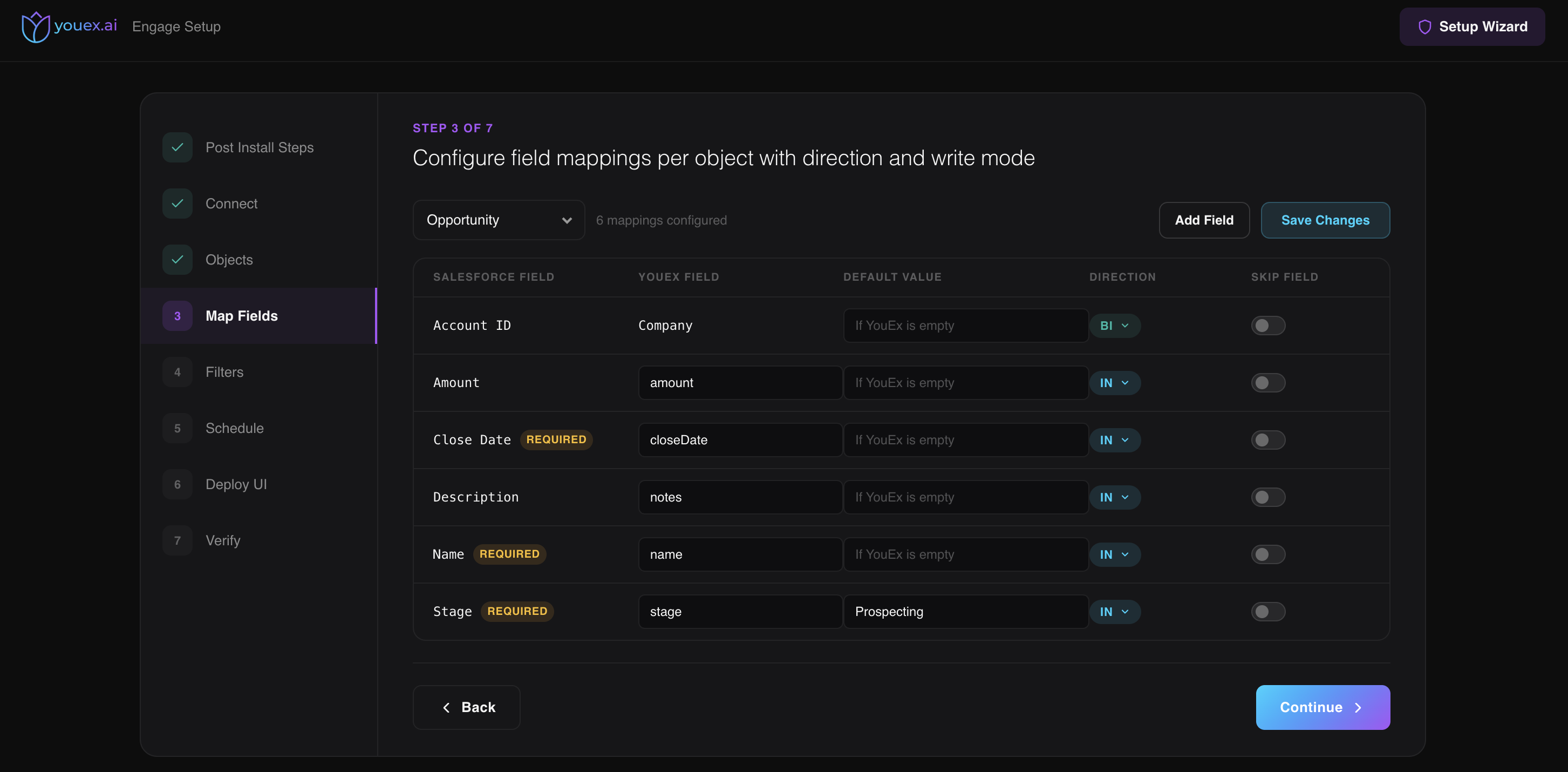
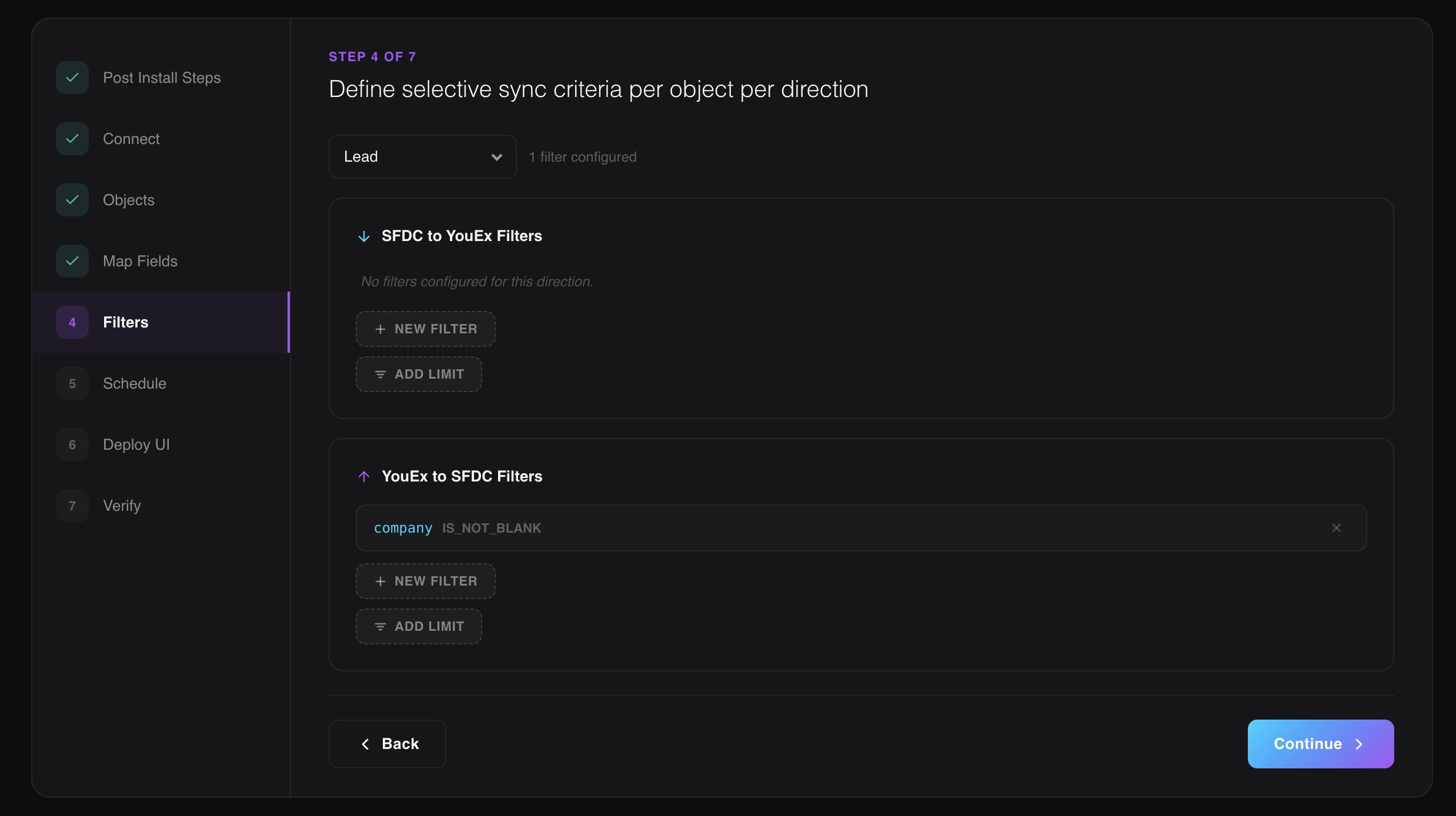
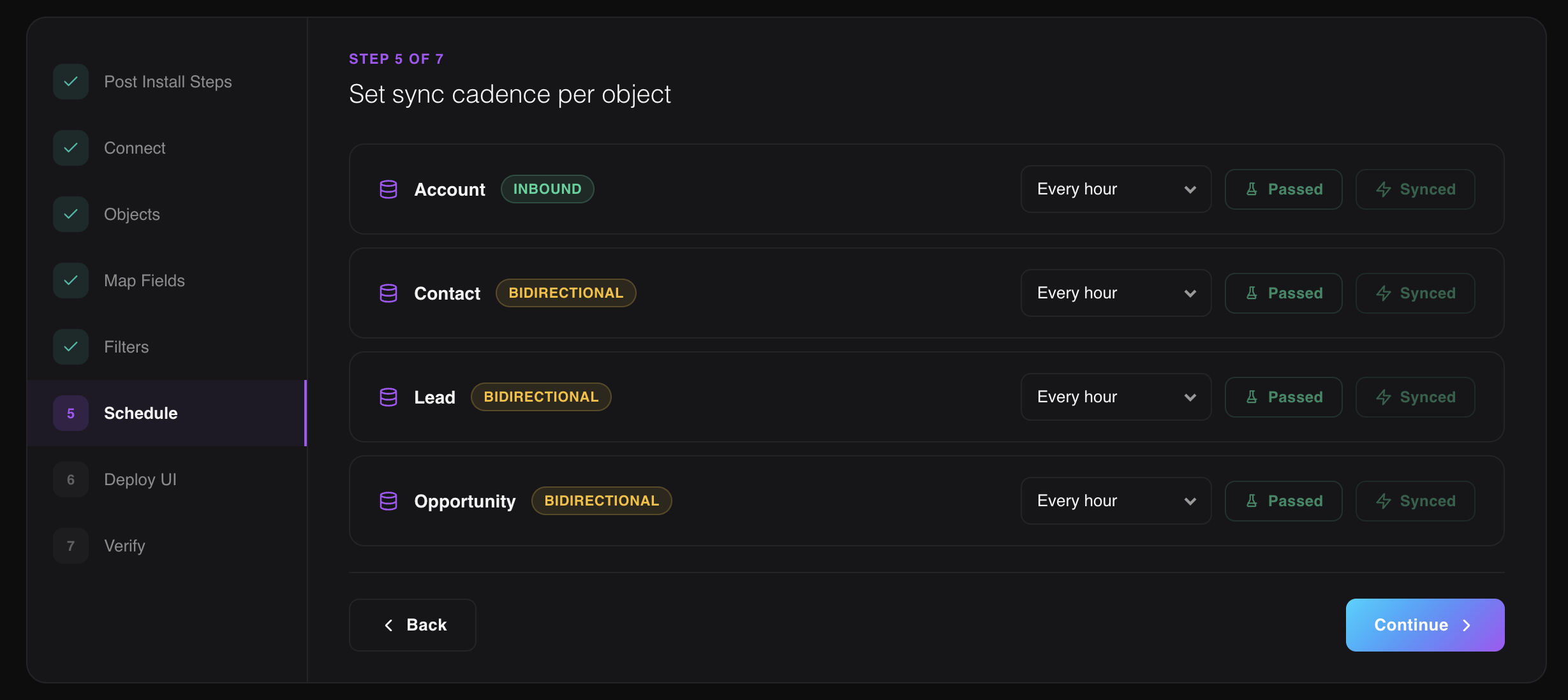
Turn sync on for the objects you use. Map Salesforce fields to YouEx fields and set the direction: into YouEx, or both ways. Mappings can write only when YouEx is empty. For each object, add a filter or a limit in each direction, set how often that object syncs, and verify before you roll it out.
Admins configure the integration. Users get the YouEx Engage panel.
What it costs
Filters, a limit, and the cadence for each object decide which records move, and how often. That is what determines how much of your org's API the sync uses. The Salesforce app is included on the Professional plan. See youex.ai/pricing.
Setup
Install the YouEx.ai managed package.
Complete the post-install steps and connect your YouEx workspace.
Turn sync on for Lead, Contact, Account, and Opportunity, or only the objects you use.
Map Salesforce fields to YouEx fields, and set the direction for each one.
Filter which records move in each direction, and set how often each object syncs.
Deploy the YouEx Engage panel on your record pages, then verify.
Admin FAQ
Lead, Contact, Account, and Opportunity. The setup wizard lists those four, and you turn on the ones you use.
The YouEx Engage panel shows an intent score and tier, when the person or company last engaged, and tabs for Insights, Enrichment, History, and Timeline. From the panel they can enrich, run research again, or open the record in YouEx.ai.
Yes. Map each Salesforce field to a YouEx field and set the direction: into YouEx, or both ways. Mappings can write only when YouEx is empty. For each object, add a filter or a limit in each direction, and set how often that object syncs.
Yes. The YouEx Engage panel is added to Lightning record pages for the objects you turn on.
The objects you enable, and the fields you map, filtered by the rules you set. How YouEx.ai handles customer data is described in the Trust Center.
Filters, a limit, and the cadence for each object decide which records move, and how often. That is what determines how much of your org's API the sync uses.
Yes. The same YouEx records open from ChatGPT and from Claude, with the same research and actions your team sees in the app.
The Salesforce app is included on the Professional plan. Seller and Prospector do not include it. See pricing.