← Back to home

AI sales agent for your website

Your next customer has a question. Don't keep them waiting.

YouEx's AI sales agent answers questions, qualifies leads, and books meetings even when your team is offline. Built on your content and guided by your business rules, it keeps the conversation moving while interest is fresh.

Start your free trial

No credit card required.

Demonstration
AI Web Agent

Why it matters

Your next customer has a question. They shouldn't have to wait for your team to come online.

The YouEx.ai Web Agent keeps the conversation moving. It answers from your content, asks qualifying questions, captures lead details, and helps visitors book a meeting all while their interest is fresh. Every conversation gives your team the context to take the next step.

Start with your website URL and put a sales agent to work on your site.

Sound familiar?

Most website chat isn't a conversation. It's a waiting room.

These widgets look like live help. What visitors actually get is an away message, a form, and a promise that someone will follow up — usually someone who isn't online. The “AI” versions aren't much better: they decline the question and ask if there's anything else they can do.

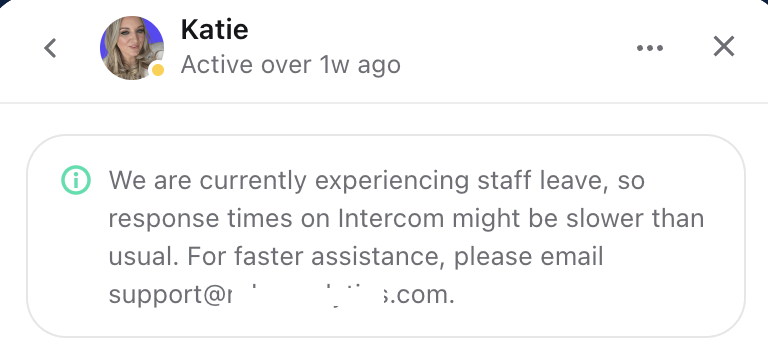
Intercom chat showing the assigned agent was last active over a week ago, with a staff-leave notice and an email fallback

Intercom

Last seen over a week ago

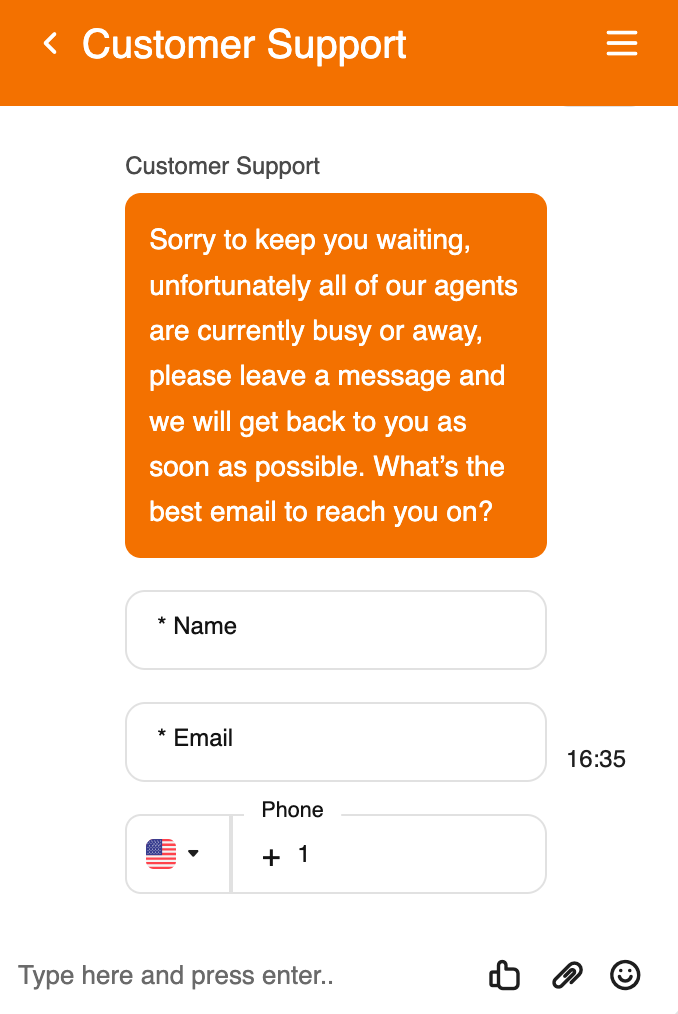
Tawk.to customer support chat saying all agents are busy or away and asking for name, email, and phone

Tawk.to

All agents are busy or away

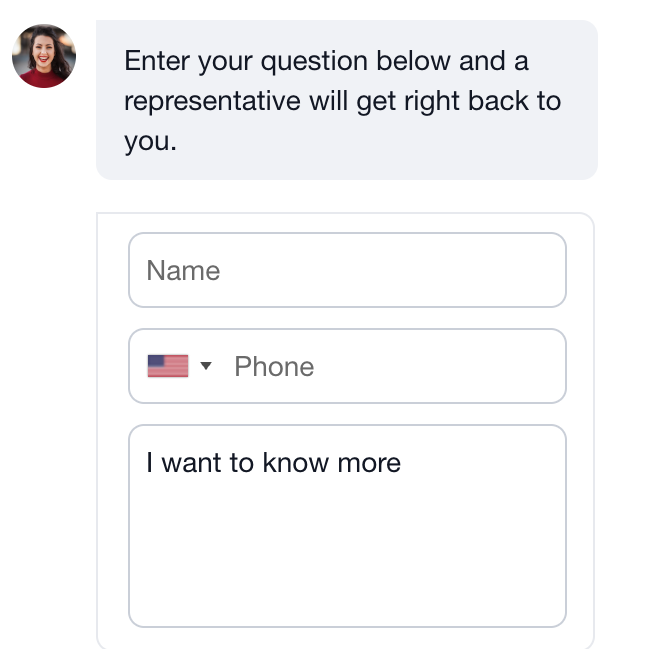
LeadConnector chat promising a representative will get back to the visitor after they enter name and phone

LeadConnector

A representative will get back to you

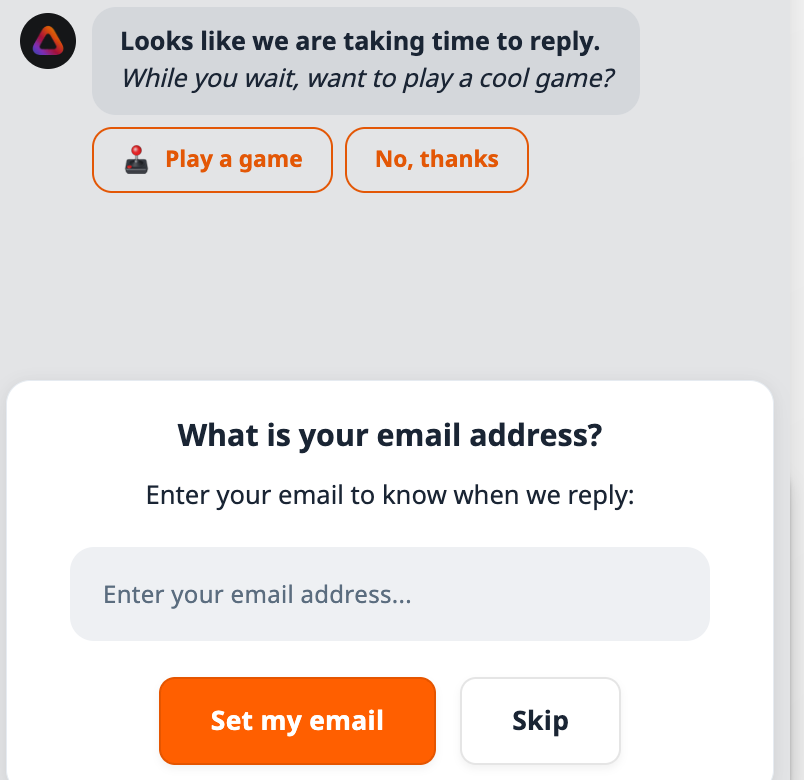
Crisp chat offering a game while the visitor waits, then asking for an email so the team can reply later

Crisp

Play a game while you wait

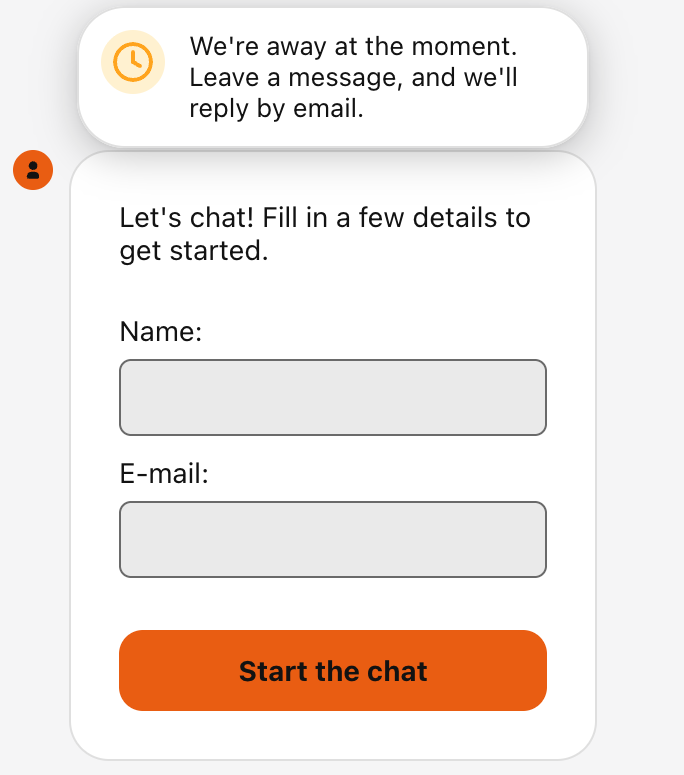
LiveChat widget saying the team is away, asking the visitor to fill out name and email before they can start chatting

LiveChat

We're away. Leave a message.

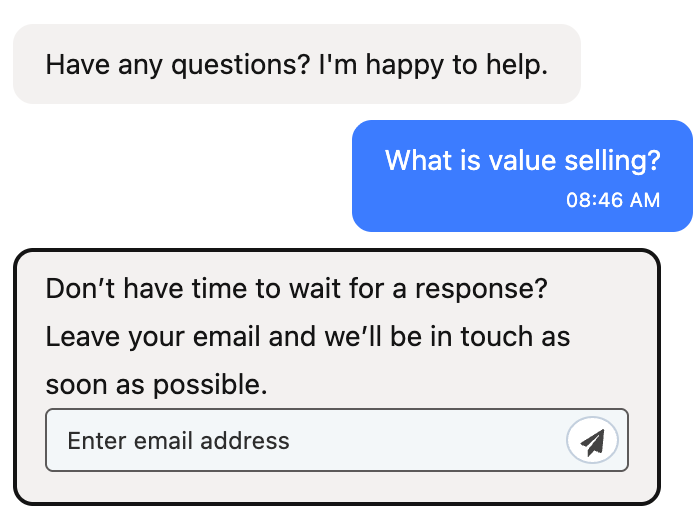
HubSpot chat where a visitor asks a product question and is immediately asked to leave an email instead of getting an answer

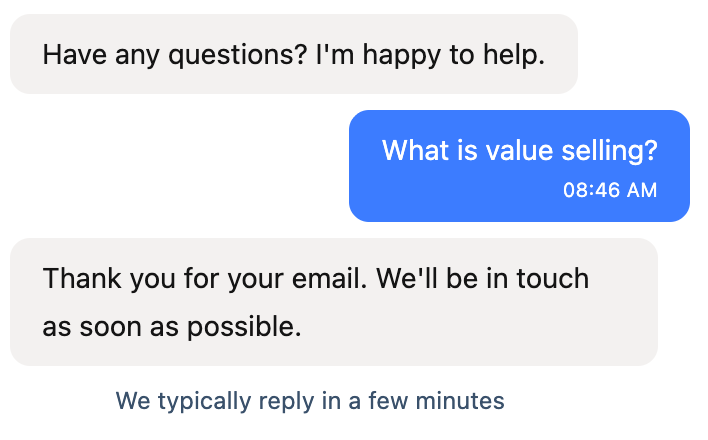
🙄 I'm not kidding: this is two whole days later ↓

The same HubSpot chat two days later, still thanking the visitor for their email and saying they typically reply in a few minutes

HubSpot

Don't wait — just leave your email

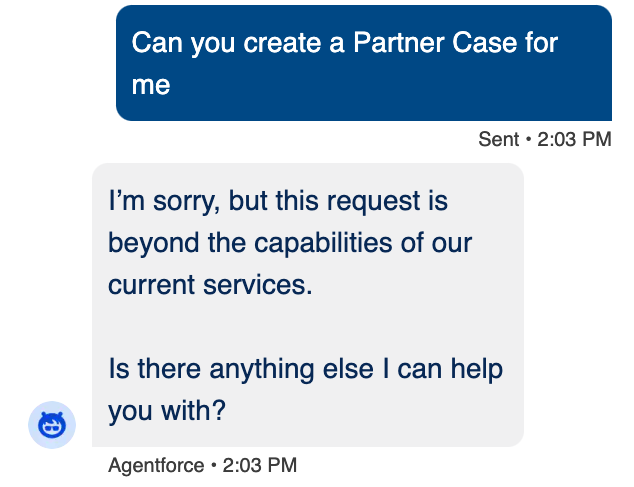
Salesforce Agentforce declining a simple request as beyond the capabilities of current services

Salesforce

Beyond our current capabilities

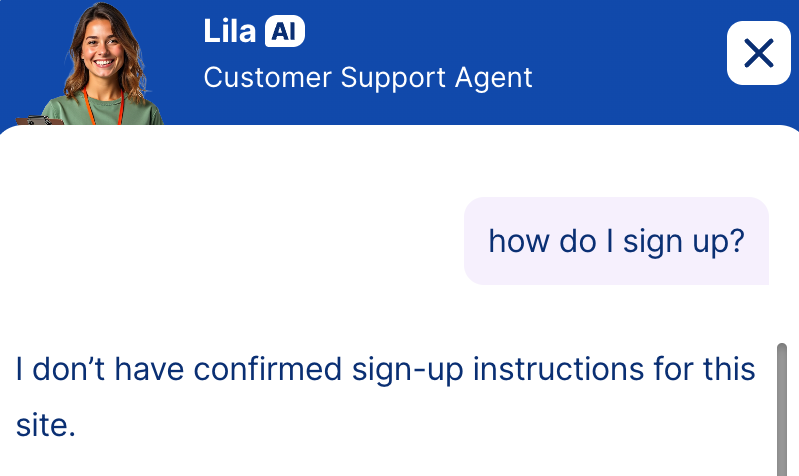
Jotform AI customer support agent unable to answer how to sign up because it does not have instructions for the site

Jotform AI

I don't have those instructions

Knowledge base

Your site becomes the source of truth

Add your homepage or docs URL and YouEx.ai crawls your site, extracts page content, and builds a searchable knowledge base automatically. Upload PDFs and images too — organized into a knowledge base your agent uses to answer questions.

  • Start from a single URL or crawl multiple pages
  • PDF and image upload with automatic text extraction
  • Background embedding keeps answers current as content changes
  • Edit extracted text anytime before it goes live
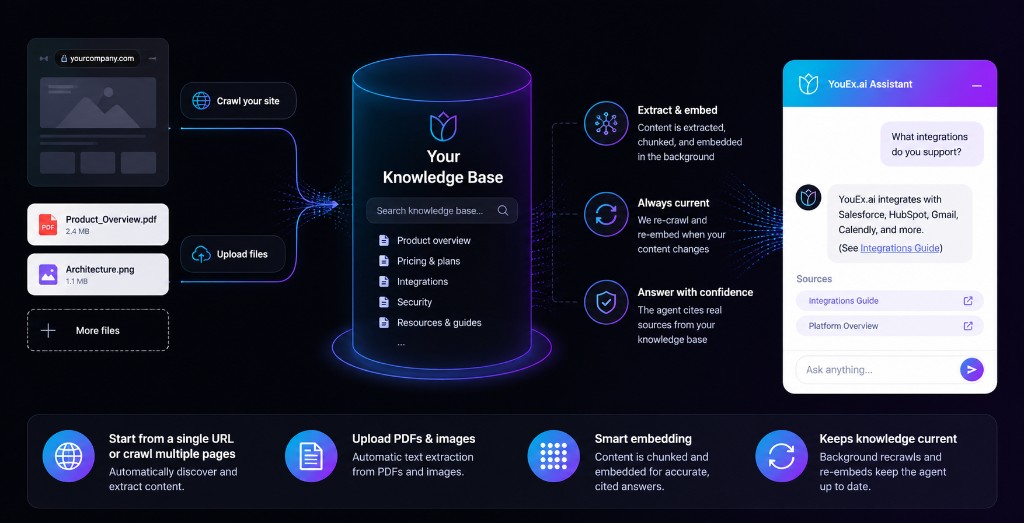
Diagram showing website, documents, and videos flowing into a YouEx sales agent that answers from your content

Revenue workspace

Agent on the site. Leads in the CRM.

The Web Agent isn't a siloed chatbot — it's part of the YouEx.ai revenue workspace. Leads, contacts, conversations, knowledge, routing pools, and enrichment all live in one place. Embed on marketing sites, product pages, or landing pages; manage everything from Agent Configuration in the admin app.

  • Native CRM lead and conversation storage
  • Returning-visitor memory for smoother repeat sessions
  • Every Lead is researched, qualified, engaged
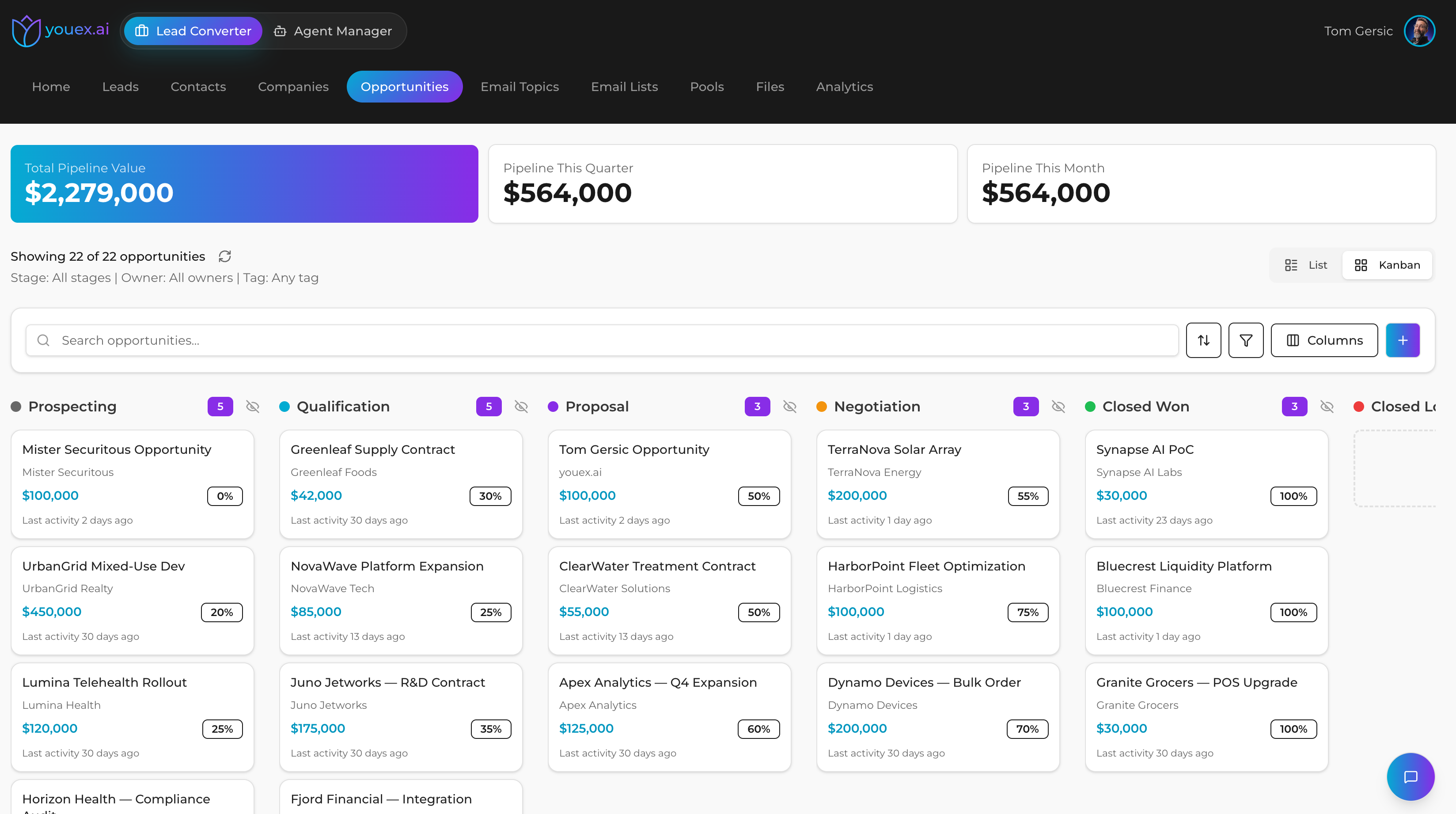
YouEx.ai opportunities kanban with pipeline value, stages, and deal cards in the revenue workspace

How it works

From URL to embedded agent

1

Step 1

Add your knowledge

Paste your website URL, upload key PDFs, or both. Review and edit extracted content.

2

Step 2

Configure the agent

Set welcome message, info fields, Q&A pairs, offers, and optional scheduling. Try a conversation before going live.

3

Step 3

Deploy

Copy the embed code, set allowed domains, and activate. The widget loads on your site instantly.

4

Step 4

Capture and convert

Visitors chat, share info, unlock gated assets, and book time — leads land in your CRM with full context.

Compare

How the Web Agent compares

Most teams aren't choosing between ten vendors on day one. They're choosing between a contact form, a generic chat widget, and something that actually knows their business.

Contact form + FAQ

Answers from your content
Static pages only
Time to go live
Immediate (limited)
Lead capture
Form fields only
Gated downloads
Manual follow-up
Offer / scheduling flows
Separate tools
Business rules
None
CRM integration
Zapier or manual
AI oversight
N/A

Generic AI chat widget

Answers from your content
Often generic / hallucination-prone
Time to go live
Hours to days
Lead capture
Chat transcript, maybe
Gated downloads
Rarely supported
Offer / scheduling flows
Add-ons or custom
Business rules
Limited
CRM integration
Often separate
AI oversight
Usually opaque

YouEx.ai Web Agent

Answers from your content
Knowledge base built from your site and files
Time to go live
About 5 minutes to embed
Lead capture
Structured fields + automatic CRM lead
Gated downloads
Files gated until info is collected
Offer / scheduling flows
Offers, calendar booking, email in one agent
Business rules
Q&A pairs, field priority, unlock thresholds
CRM integration
Native leads, conversations, routing
AI oversight
Model logged, red-teamed, monitored

Contact forms capture data but don't converse. Generic chatbots converse but don't know your business or your CRM. YouEx.ai does both — with rules, gating, and compliance built in.

Build vs. buy

Build it yourself vs. deploy with YouEx.ai

Engineering teams can wire up an LLM, a database, and a chat widget. The hard part is everything around it.

Crawl site → searchable KB

DIY stack

Build crawler, extractor, embed worker

YouEx.ai Web Agent

Included

Gated file fulfillment

DIY stack

Custom auth + presigned URLs

YouEx.ai Web Agent

Mark file gated + set info fields

Trusted-data unlock logic

DIY stack

Easy to get wrong; security risk

YouEx.ai Web Agent

Server-enforced, red-team tested

Embed on any site

DIY stack

Build widget + CORS + rate limits

YouEx.ai Web Agent

One script, domain allowlist

Lead → CRM with conversation

DIY stack

Custom integration

YouEx.ai Web Agent

Automatic

EU AI Act documentation

DIY stack

Your problem

YouEx.ai Web Agent

Model traceability, transparency, monitoring

Ongoing maintenance

DIY stack

Your engineering team

YouEx.ai Web Agent

Platform updates

You can build a chatbot. Building one that gates content correctly, creates CRM leads reliably, and satisfies procurement on AI oversight is a different project.

Compliance

Built for transparency and oversight

The YouEx.ai web agent is built with EU AI Act readiness in mind. It logs the model and version behind every output for full traceability, surfaces AI involvement in the research and outreach it produces so your team can meet transparency obligations, and is red-teamed before release against failure modes like prompt injection and data leakage. In production, we monitor the agent continuously to catch quality and fairness issues before they accumulate. The result is an agent that supports your compliance, security, and procurement teams with the documentation and oversight they need, prepared in advance rather than under deadline.

  • Model and version logged on every output
  • Red-teamed before release
  • Continuous monitoring
  • Prompt-injection and data-leakage guards

FAQ

Frequently asked questions

Do I need to write all the answers myself?

You can build your agent's knowledge from your existing website and documents. Review and edit the content, and add approved answers for questions that need specific wording.

Can I try the agent before putting it on my website?

Yes. You can test conversations inside YouEx before publishing. Check its answers, the details it collects, and the next steps it offers.

What do I need to install it?

You'll need access to add an embed code to your website, or help from whoever manages it. You configure and test the agent in YouEx.

Can I choose what information the agent collects?

Yes. Configure the contact details and qualifying questions that matter to your business.

Can it book meetings?

Yes. Connect your calendar and configure scheduling so visitors can book available times during the conversation.

Where do the leads go?

YouEx creates or updates leads in your YouEx workspace and keeps their conversation history with them. Routing and integrations depend on your configuration and plan.

Do my website visitors need an account?

No. Visitors can chat with your agent directly on your website.

Your website should sell while you sleep.

Build an agent from your website content, try a conversation, and see how YouEx can help your visitors take the next step.