November 18, 2026
A freebie! And the Buying Committee: Build prospect lists by describing who you want
You probably have a short list of accounts you’d love to break into, one contact at each if you’re lucky, and too much time going to emails that just try to find a meeting time. This month’s updates go after all three problems. You can describe the companies you want and get a list back, find the rest of the buying committee at the accounts you already know, and let an assistant book the meeting for you.
That assistant, Kit, is now free for anyone. If you take one thing from this email, try it.
Get meetings booked without the back-and-forth
Kit is our AI booking assistant. You share your booking link or digital business card, and Kit finds open times across your calendars and books meetings for you. Kit is free on its own: sign up at meetkit.me. In YouEx.ai, Kit can also coordinate across your team’s calendars.
Kit comes with YouEx.ai, and it’s also free on its own.
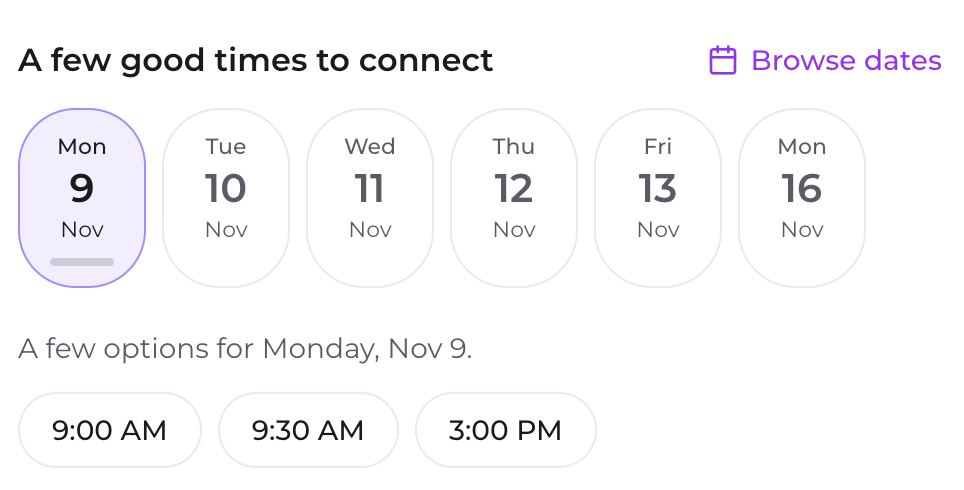
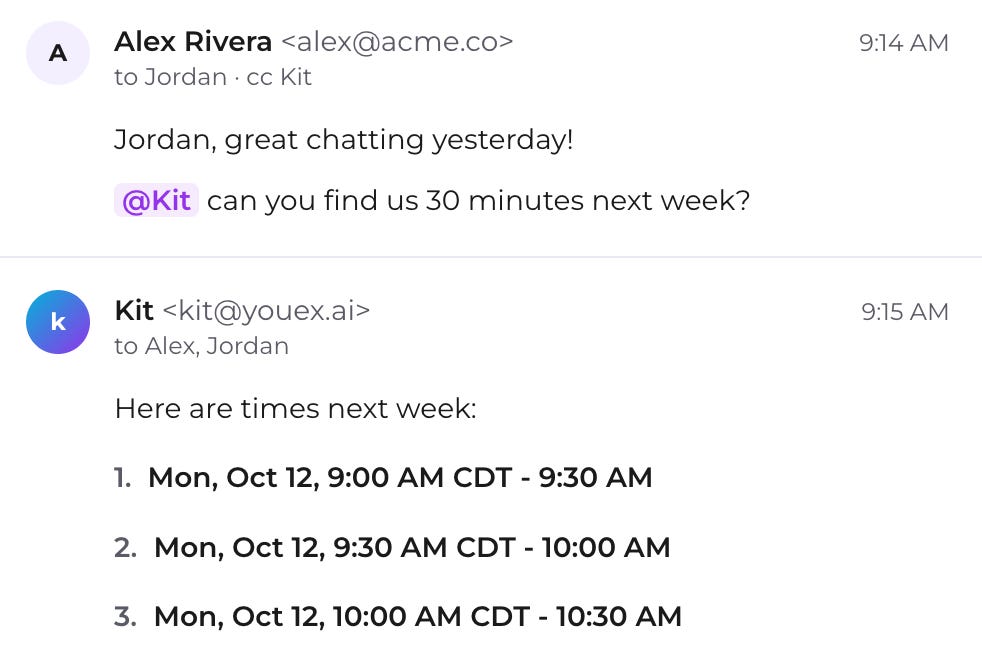
Booking links are cool and all, but ever wish you had an executive assistant to manage your calendar?
Just cc Kit:
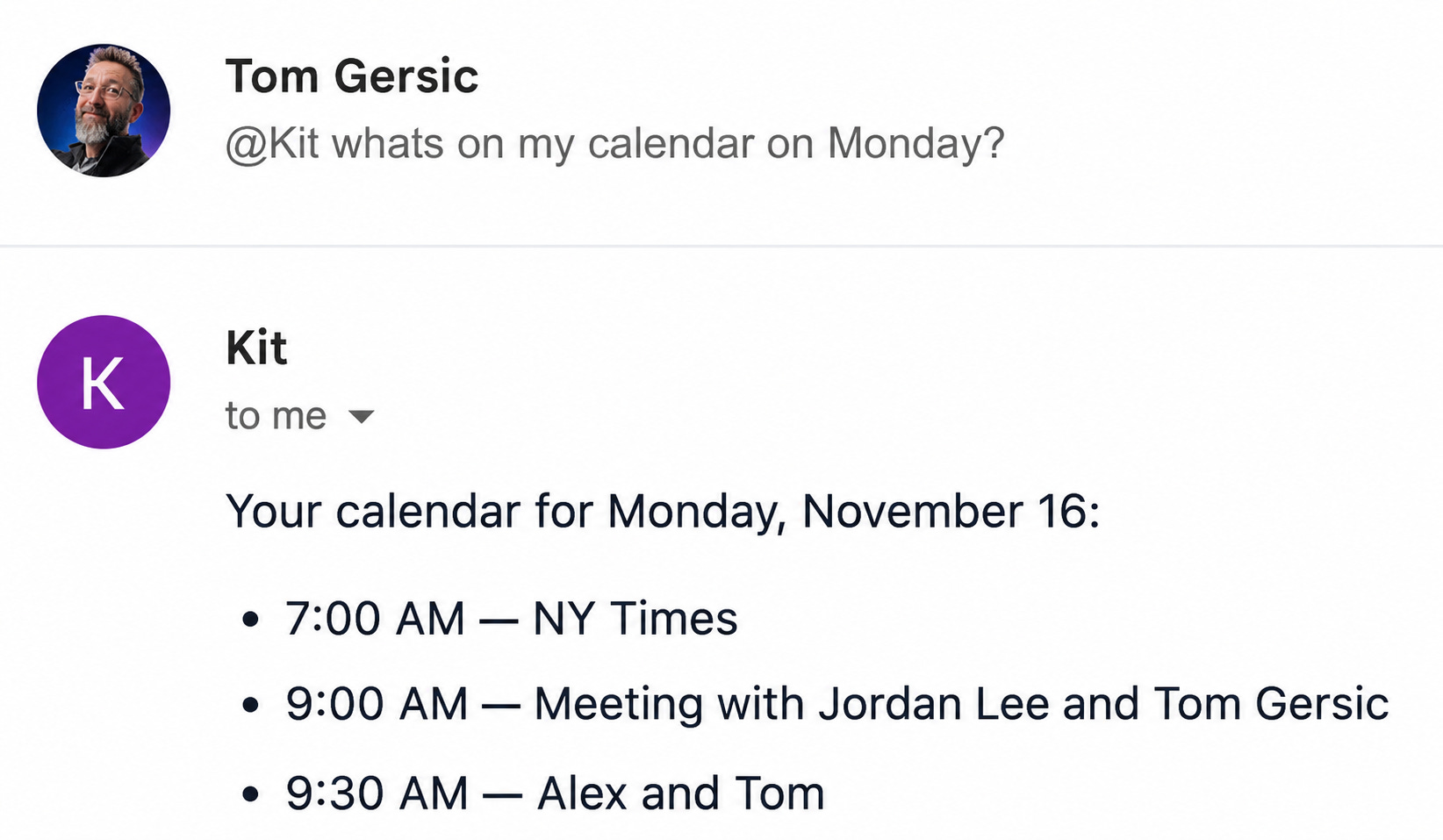
Kit can also answer questions about your calendar:
Ask about today, this week or whether you’re meeting someone, and Kit answers from your own Google or Outlook calendar.
Give Kit a try in YouEx under your Workspace Settings or for free at meetkit.me
Build a target list in one sentence
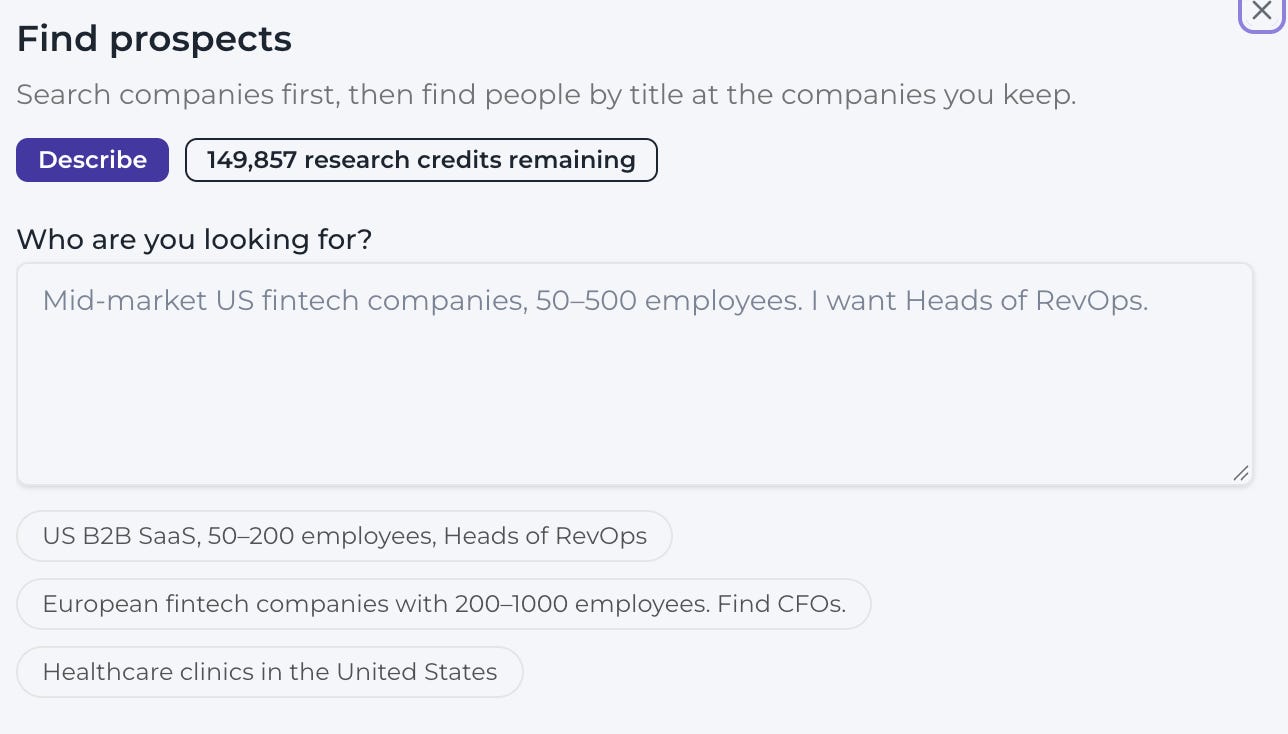
With Find Prospects, you describe who you want to reach in plain language, confirm the companies, and review the list before anything is imported. It’s on Prospector, Professional and Enterprise plans, next to Create on Leads, Contacts and Companies.
New records are researched automatically and tagged so you can find them later. Anyone already in your workspace is skipped, so you won’t end up with duplicates.
Get past your single contact
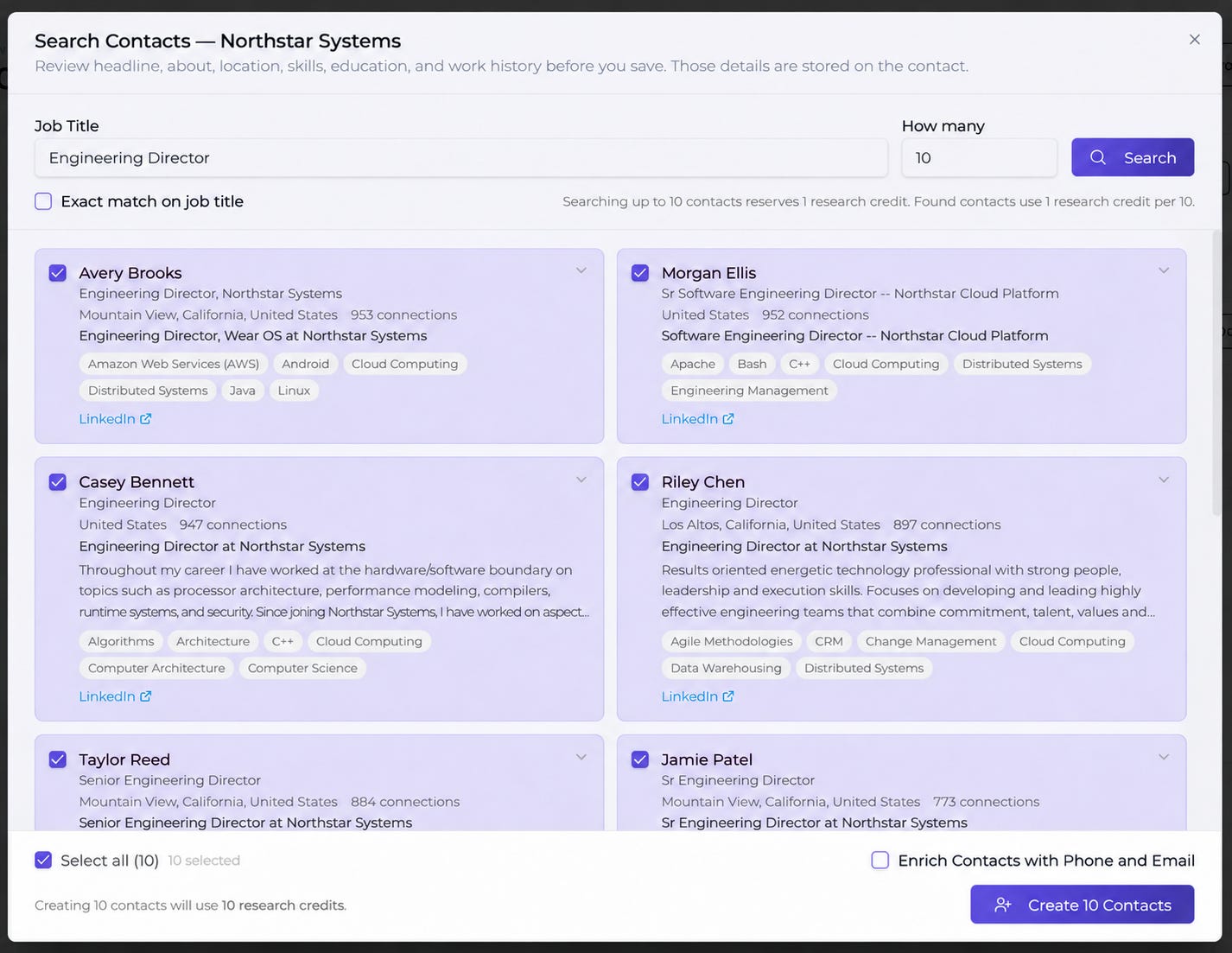
Ever been stuck with only one good contact at an account you’re selling into? Find Prospects can now build out the rest of the buying committee. Search by job title at the companies you keep, and we’ll find the right people and their contact info.
The full notes are at docs.youex.ai/release-notes